Productivity
OmniDoc: Meeting & Class Notes

The iPhone and iPad version is waiting for App Store review.
- Android
- Widgets
- iPhone and iPad version in review
Screenshots
About OmniDoc
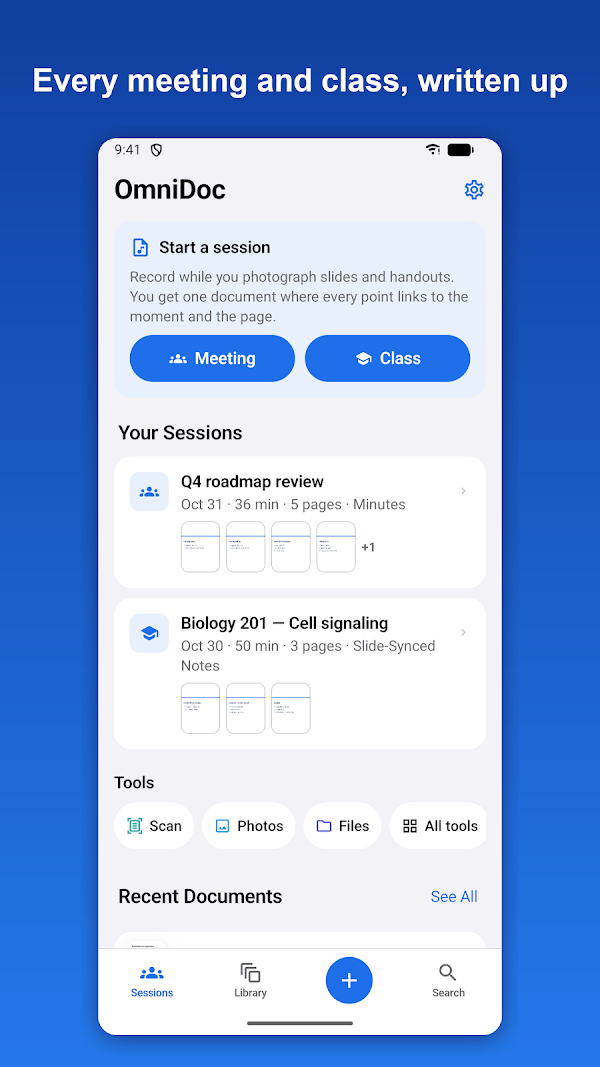
OmniDoc turns a meeting or a class into one document.
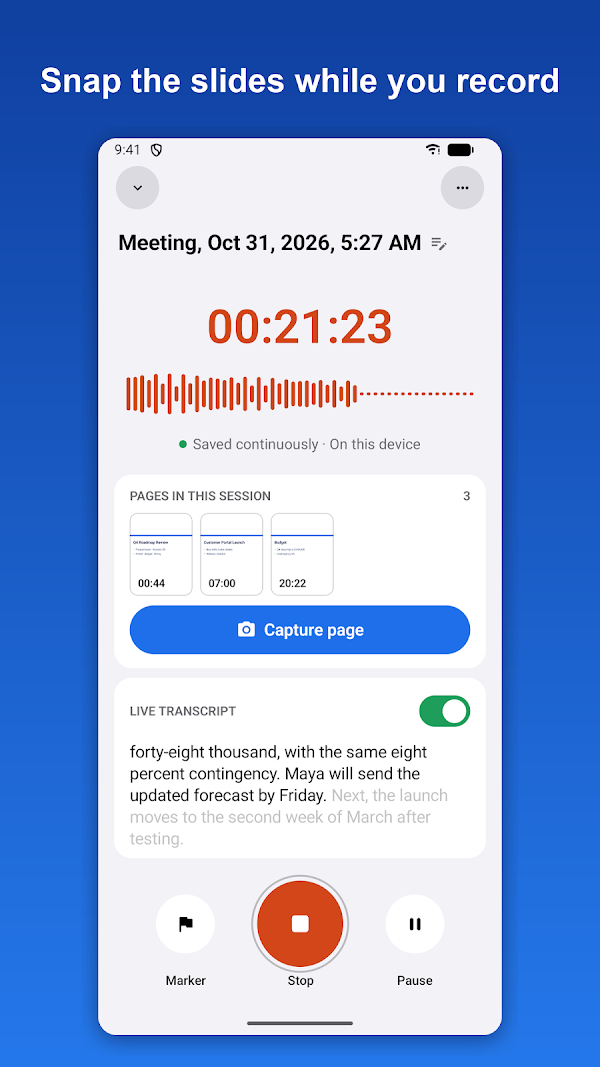
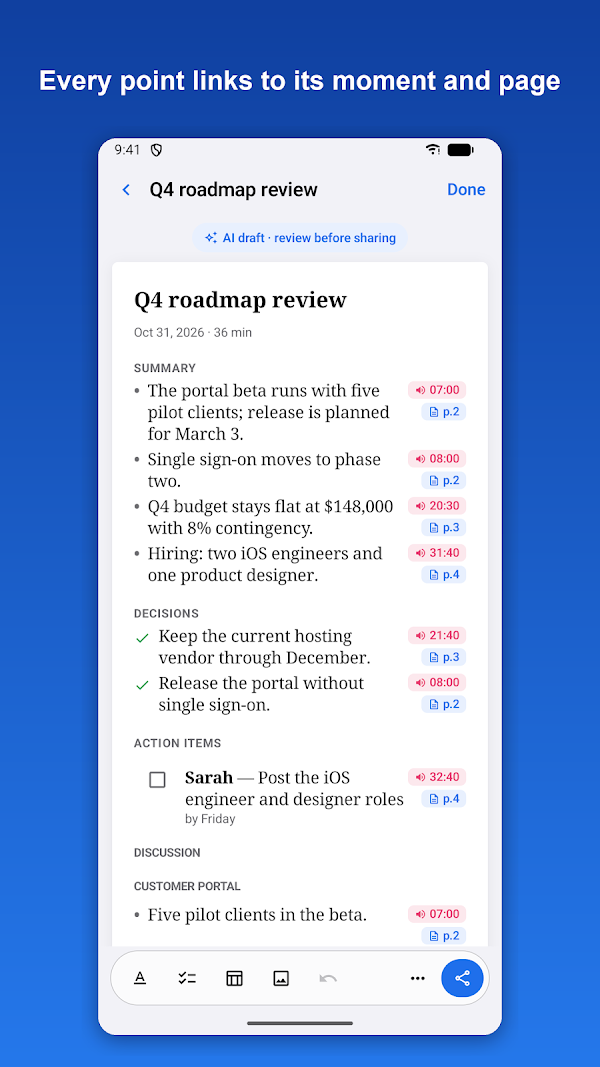
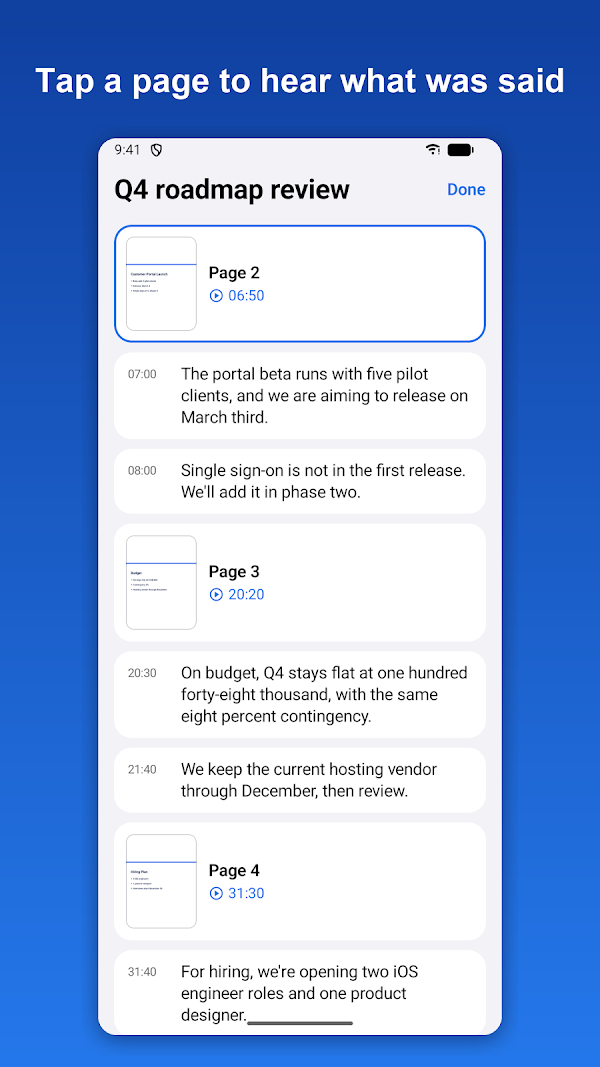
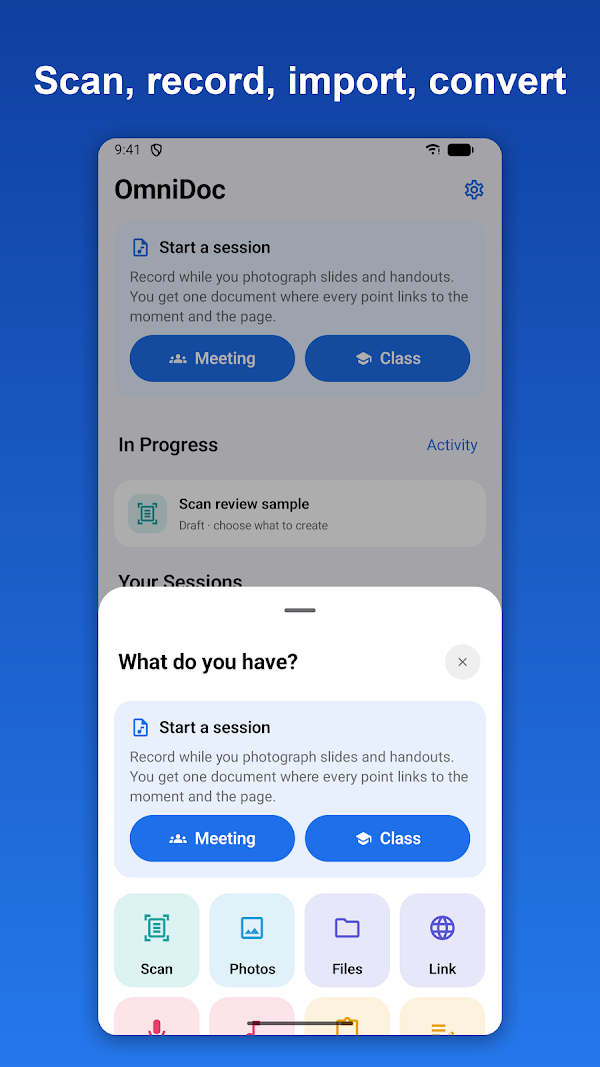
Start a session and take a photo of each slide, handout or whiteboard as it comes up. When you stop, OmniDoc puts every page next to what was said while it was shown, and every point links to its moment and page: tap a link to hear it again.
No meeting to record right now? Tap "Try a sample session" on the Sessions tab to open a finished example. It works offline.
A SESSION, START TO FINISH
- Start a Meeting or a Class from the Sessions tab
- Capture page: the camera opens over the recording, which keeps running
- Pages added later are placed where their content was discussed
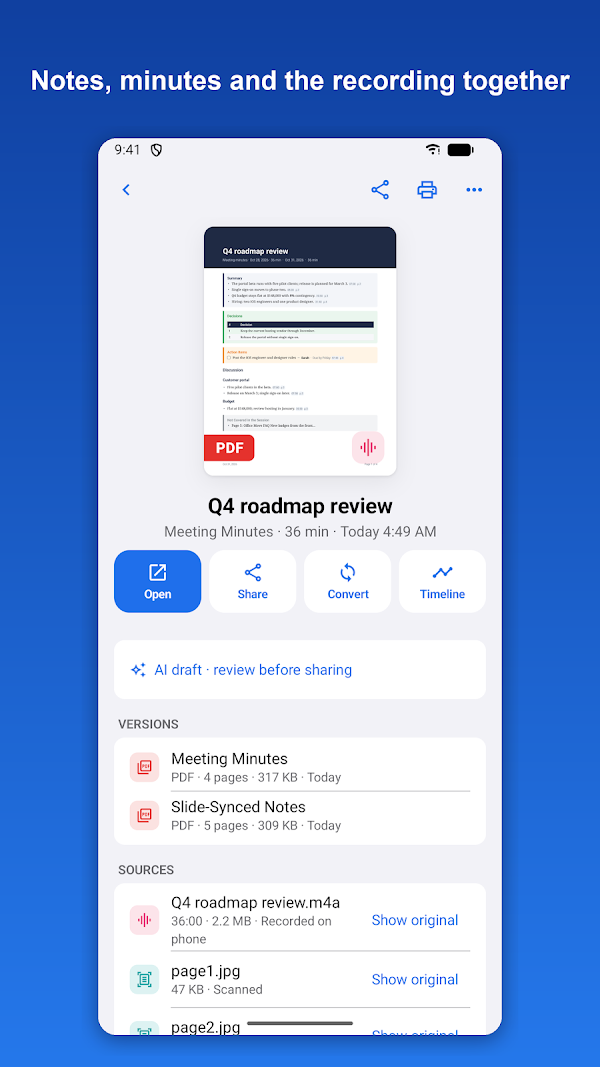
- Slide-Synced Notes: every slide with what was said about it, no AI needed
- Not Covered: the handouts nobody talked about, listed separately
- Timeline: tap a page or a line to listen from there
- The recording keeps going with the screen off, in a notification with the running time, Pause, Marker and Stop (a Live Update on Android 16)
ON-DEVICE AI, ON SUPPORTED DEVICES
On supported devices with on-device AI (Gemini Nano), OmniDoc also writes meeting minutes, lecture notes, summaries and action items. Every point cites the time and the page; points that can't be checked are marked. On other devices, Slide-Synced Notes, transcripts and PDFs work as usual.
TRANSCRIPTS
- Made on your device with Android's speech recognition, in supported languages (a speech pack downloads once per language)
- Timestamps; export as text, SRT or WebVTT subtitles
- Read aloud, trim a clip, send tasks to your calendar
ALSO IN THE TOOLBOX
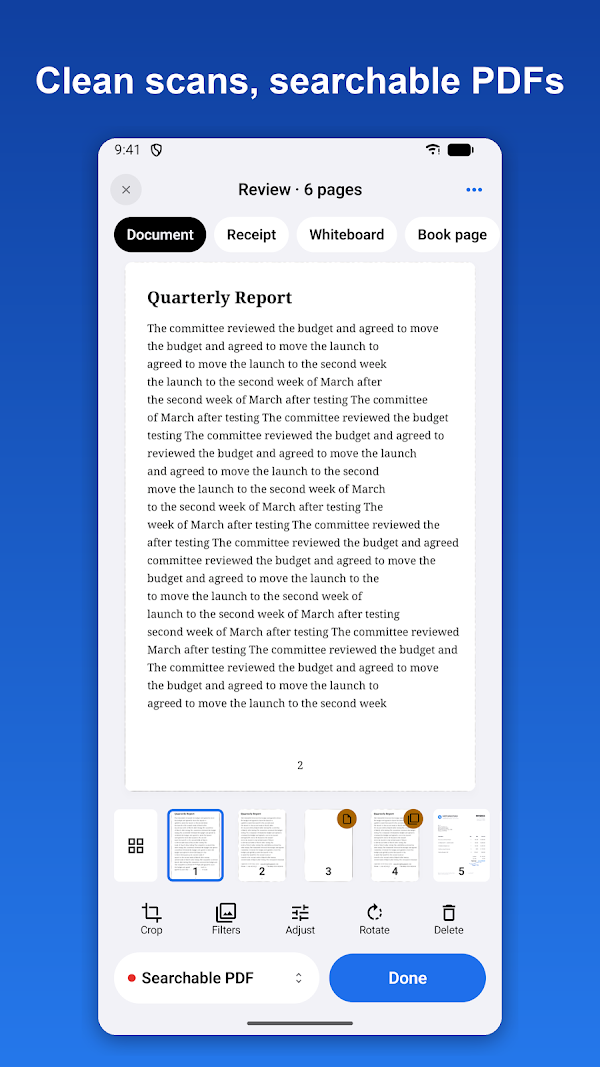
- Scan pages with auto capture and cleanup filters; searchable PDFs in Latin-script languages, Chinese, Japanese and Korean
- Receipts and business cards read for you
- Convert Word, Excel, PowerPoint, text files, photos and web links to PDFs
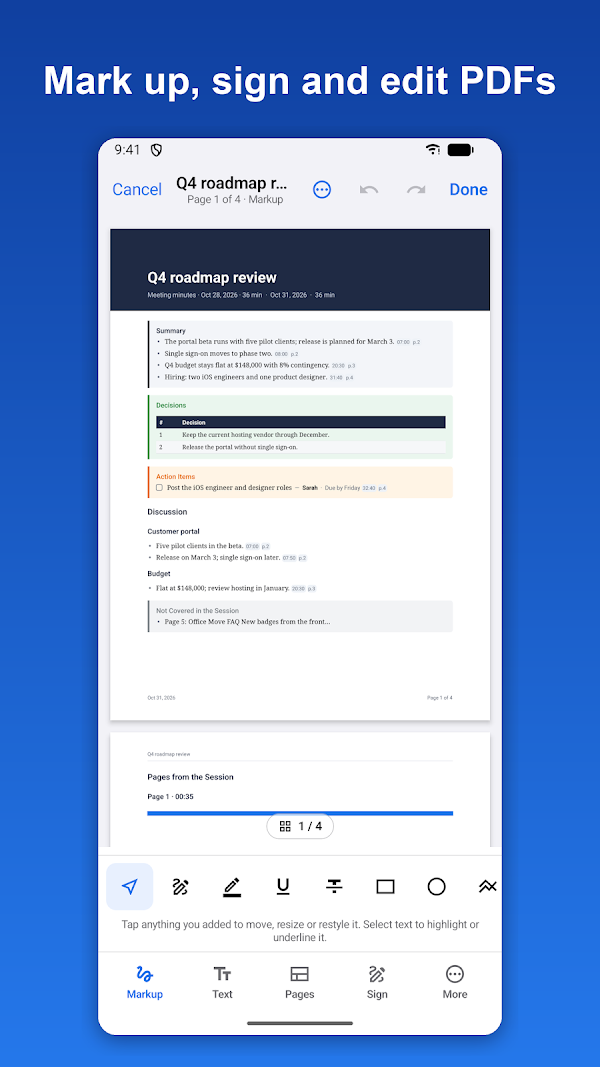
- PDF tools: annotate and mark up, edit text and images, organize and split pages, fill and sign, watermark and page numbers, merge, compress, make searchable, extract text, protect with a password and print (n-up and booklet)
- Your original is never changed: every edit is saved as a new version
- Export as PDF, Word, Excel, CSV, text or Markdown, or share straight to another app
- Folders, an Inbox for shared files, and search
RIGHT FROM YOUR HOME SCREEN
- Widgets: Quick Create (small: Scan, Record and Meeting), Recents (medium: your latest documents with Scan and Record) and Recents and Activity (large: the recording with Stop, documents being made with their progress, and your latest documents). While you record, each widget shows the running time and a Stop button
- Quick Settings tiles: Record (starts a recording, and stops it while one runs) and Scan (opens the document scanner)
- App shortcuts: touch and hold the OmniDoc icon for Scan to PDF, Record with OmniDoc, Record a meeting and your most recent document
- Long documents keep being made in the background with a progress notification
BUILT FOR PHONES, TABLETS AND FOLDABLES
Tablets show the library beside your document; an open foldable puts your sessions on one side of the fold and the selected one on the other. Keyboard and mouse work too.
PRIVATE BY DESIGN
Recordings, pages and documents are processed on your device and stay there. OmniDoc has no account. Please ask before recording other people: the law in some places requires everyone's consent.
FREE, WITH OPTIONAL VIDEOS
OmniDoc is free and shows ads. Free includes the first 15 minutes of transcription in each session or recording and 3 AI documents. When you reach a limit, you can choose to watch 2 short videos to unlock every Pro feature for 24 hours: whole-session transcripts, unlimited minutes and notes, Word and Excel export, password-protected PDFs, batch conversion and premium templates. There are no ads while you record, scan or edit.
Privacy Policy: https://orlproducts.com/omnidoc-privacy.html
Information
- Category
- Productivity
- Works on
- Android
- Developer
- ORIENTPRO (LA Investment and Trade JSC)
Help and policies
Questions about OmniDoc? Write to us at info@orlproducts.com.