
 iPhone · iPad · Mac · Apple Watch
See the math move.
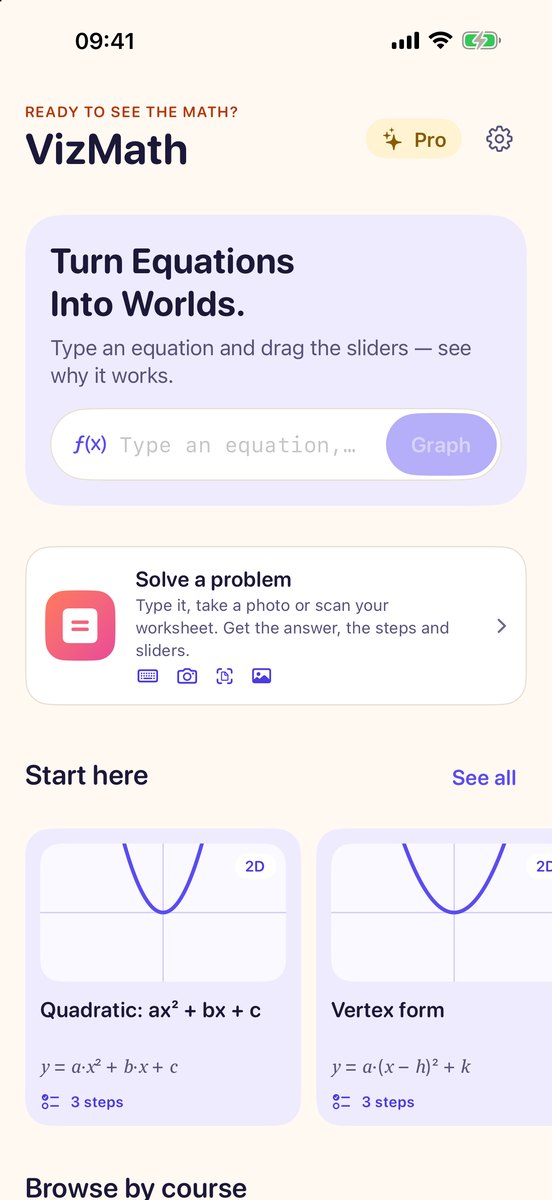
Type an equation and VizMath draws it. Every extra letter becomes a slider, and as you drag it the curve, its roots and its vertex move with it. Then keep going: surfaces in 3D, geometry constructions, a problem solver that shows every step, and shapes you can stand on your desk in AR.
Free to download · no account, no ads, no tracking
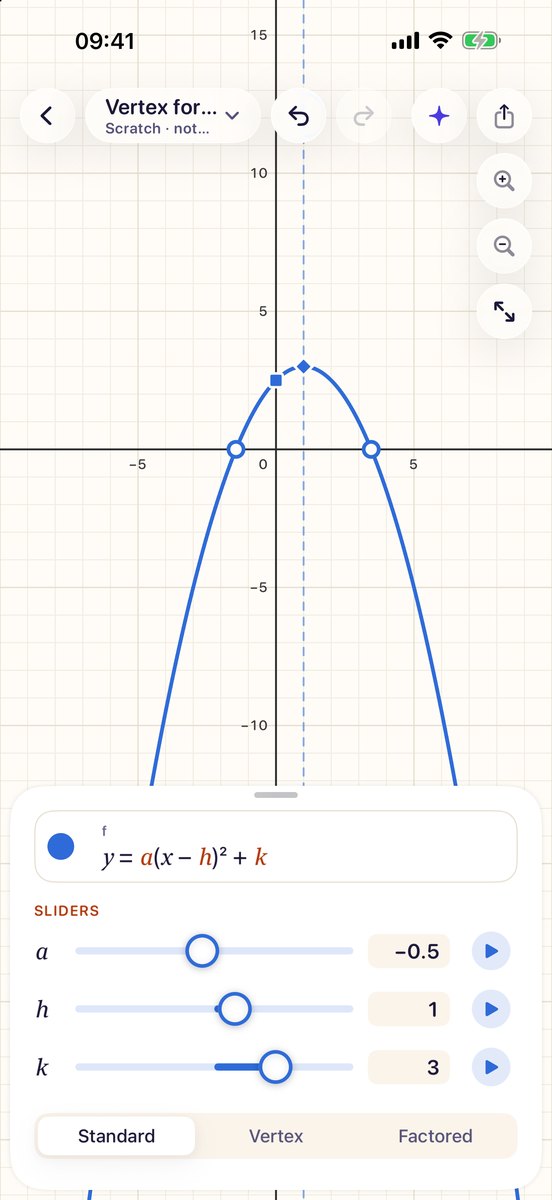
Type it. Drag it. Understand it.
Functions, polar and parametric curves, inequalities and implicit curves, all on one graph, all answering back with exact numbers.
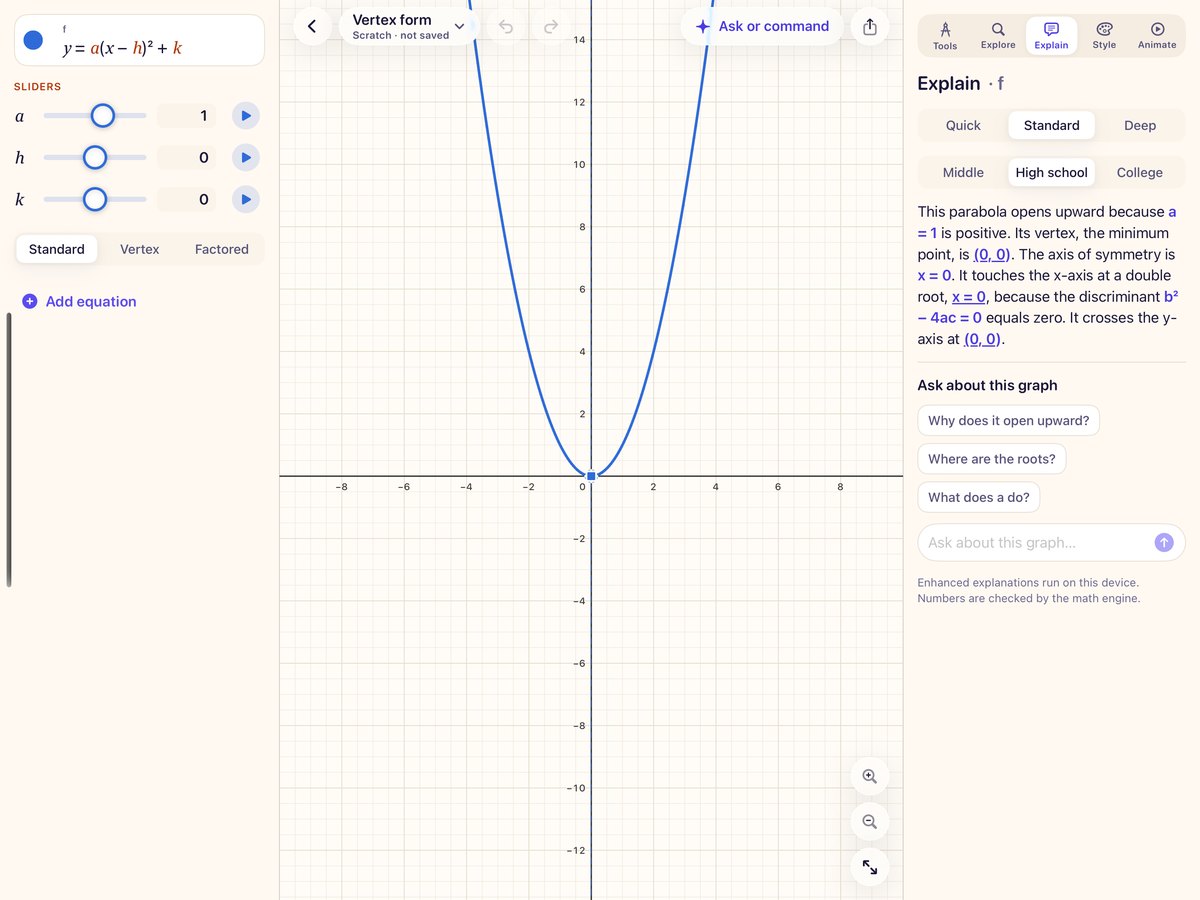
Letters become sliders
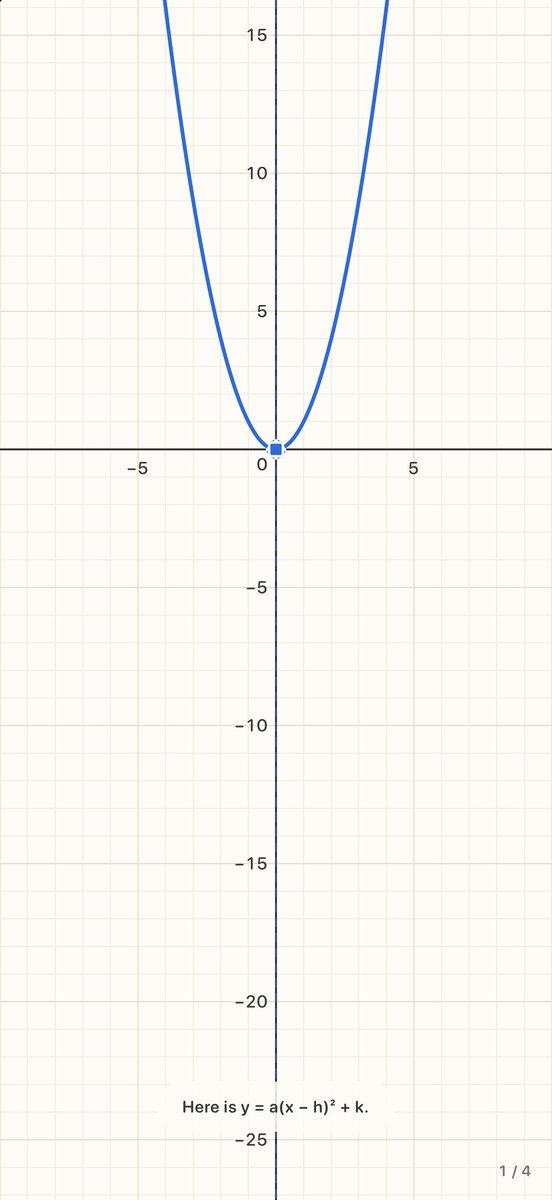
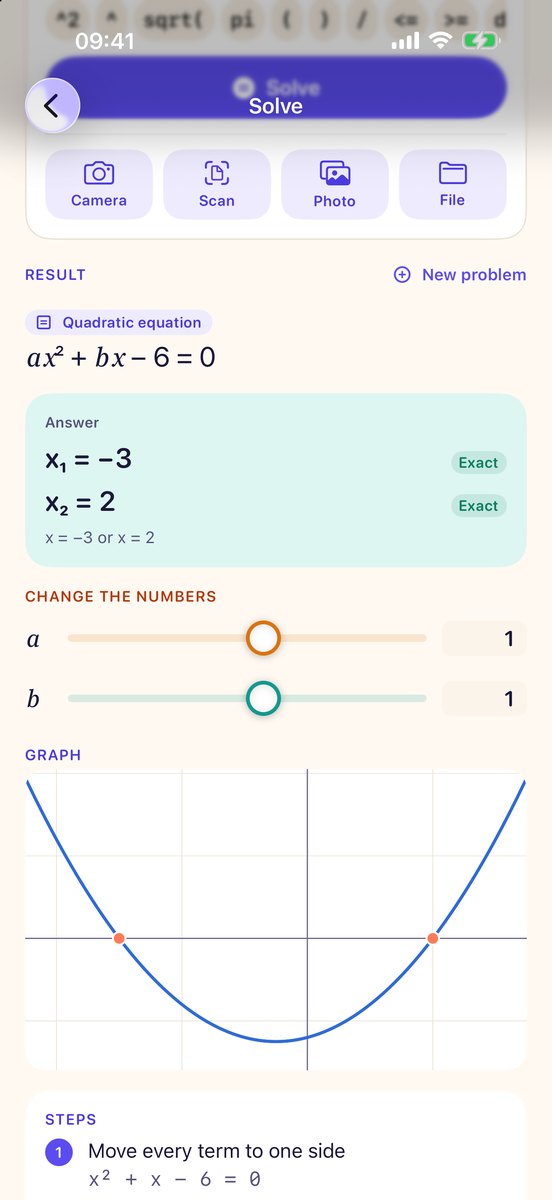
Write y = a(x − h)² + k and a, h and k appear as sliders. Drag one and see exactly what that number does to the shape.
Exact answers, not just a picture
Roots, vertex, intercepts, extrema, asymptotes and intersections are worked out and marked on the graph, as exact values where they exist.
Explanations you can check
Every number in an explanation is checked by the app’s math engine. Ask follow-up questions about a graph; they are answered on your device by Apple Intelligence.
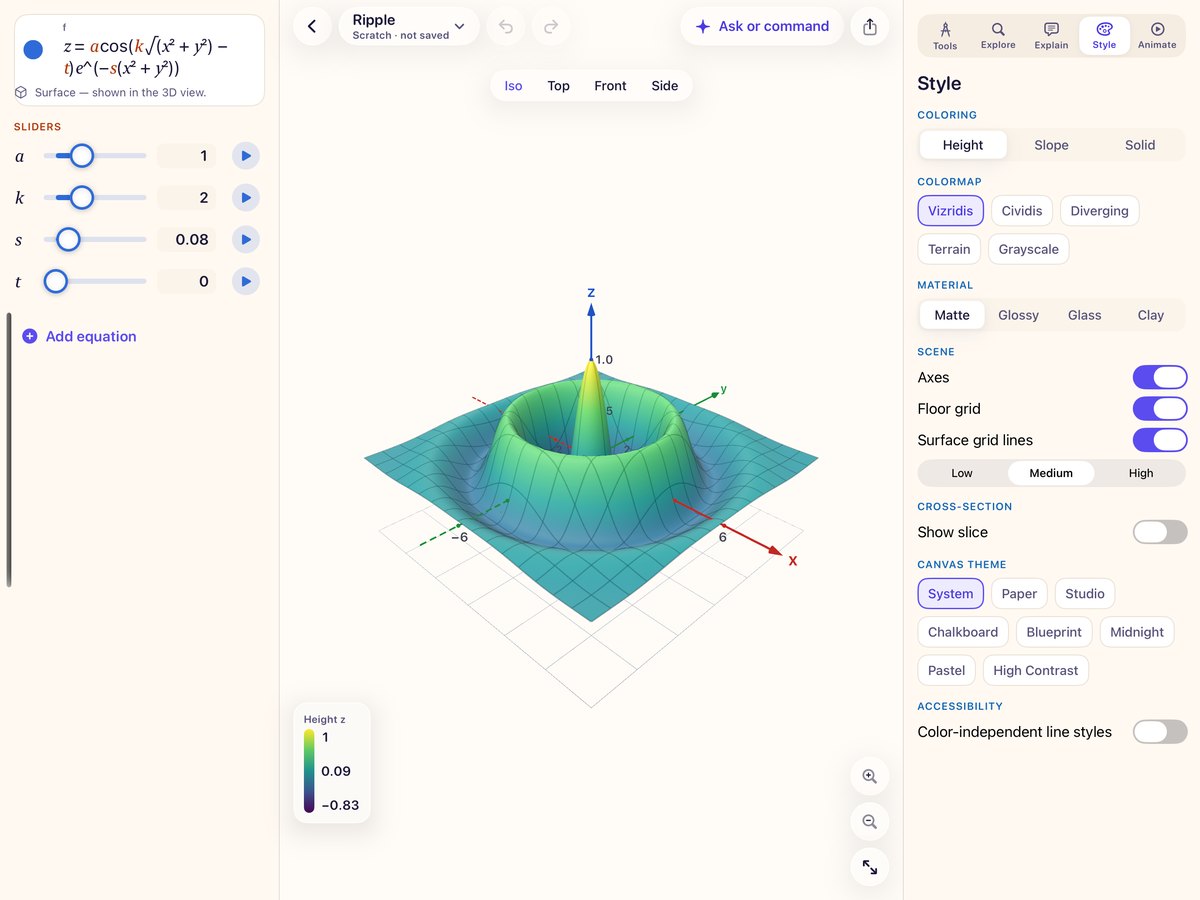
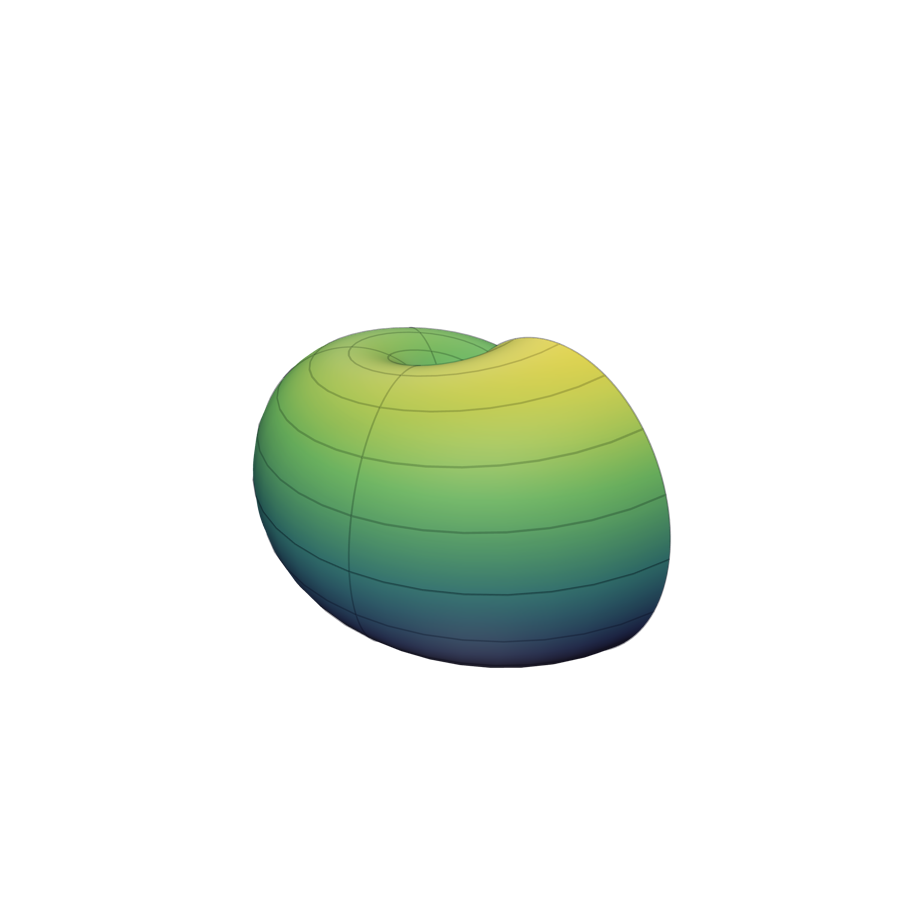
Surfaces you can walk around
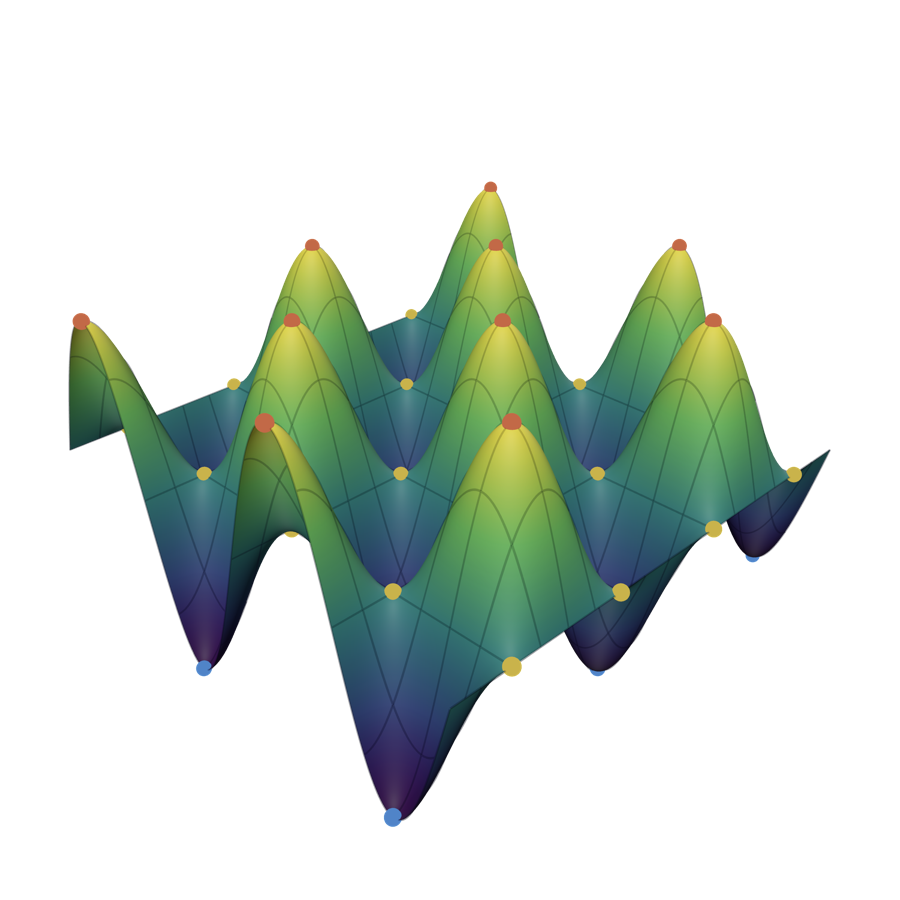
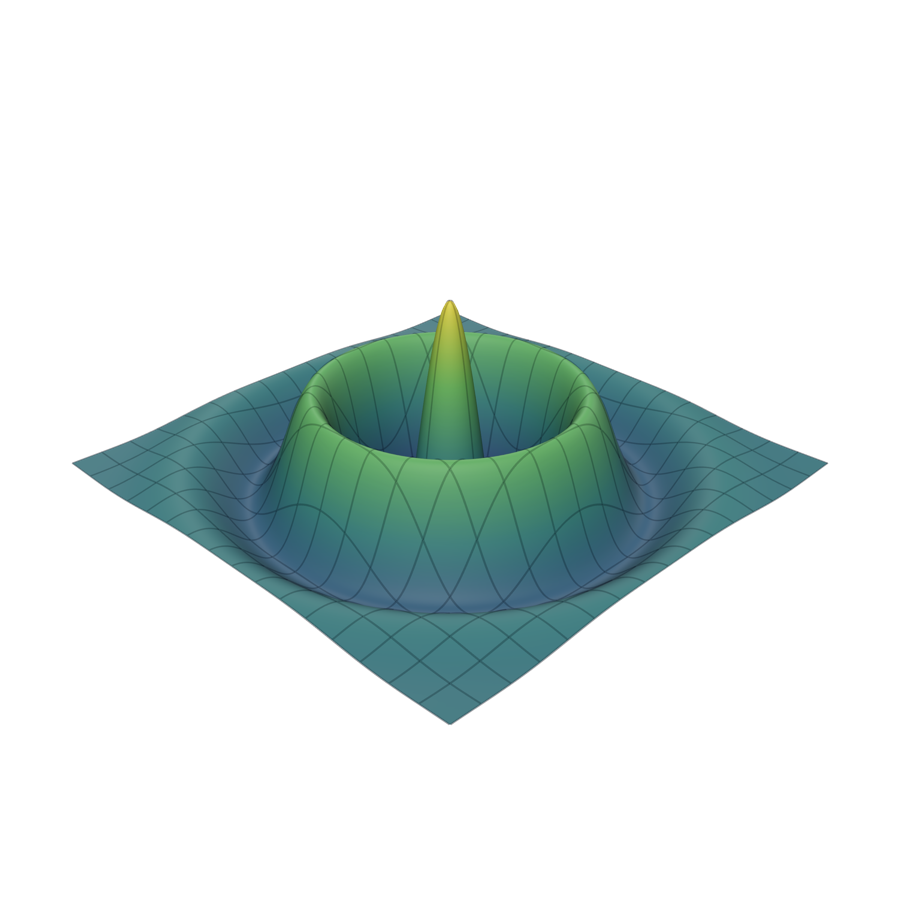
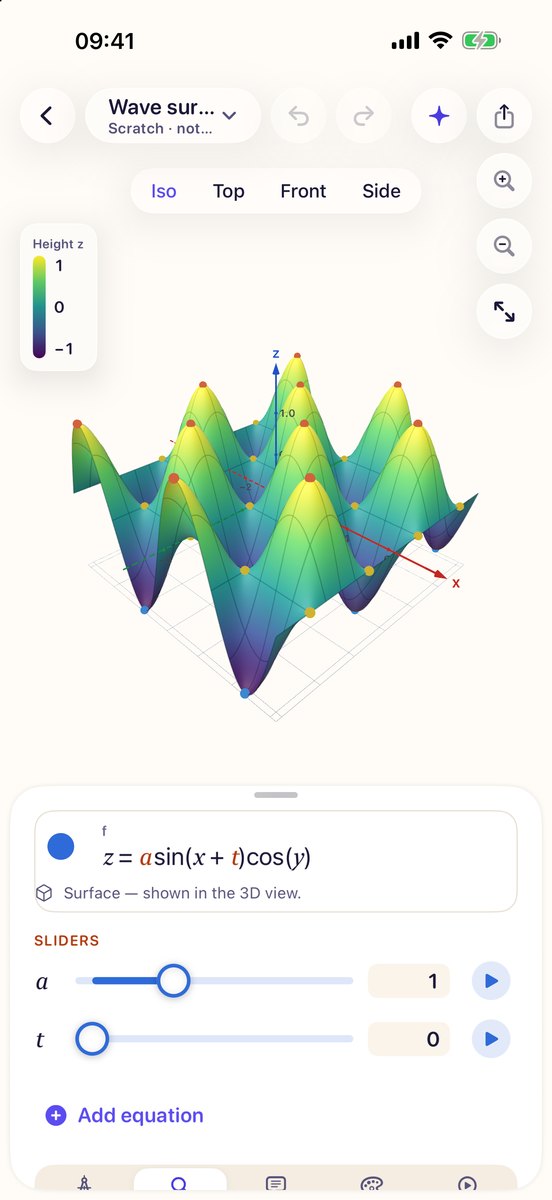
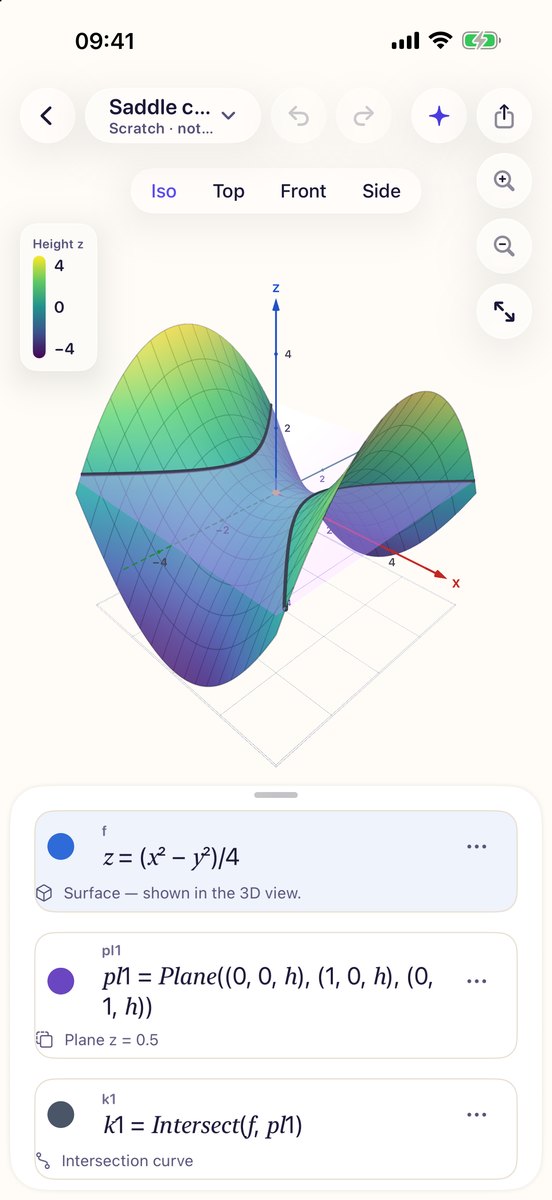
Explicit, parametric and implicit surfaces, drawn with labeled axes and grid lines. Turn them, color them by height or slope, and cut them with a plane.
On iPhone and iPad, place a surface in the room at its real size with AR, then check it for 3D printing and export it as STL, OBJ or USDZ.
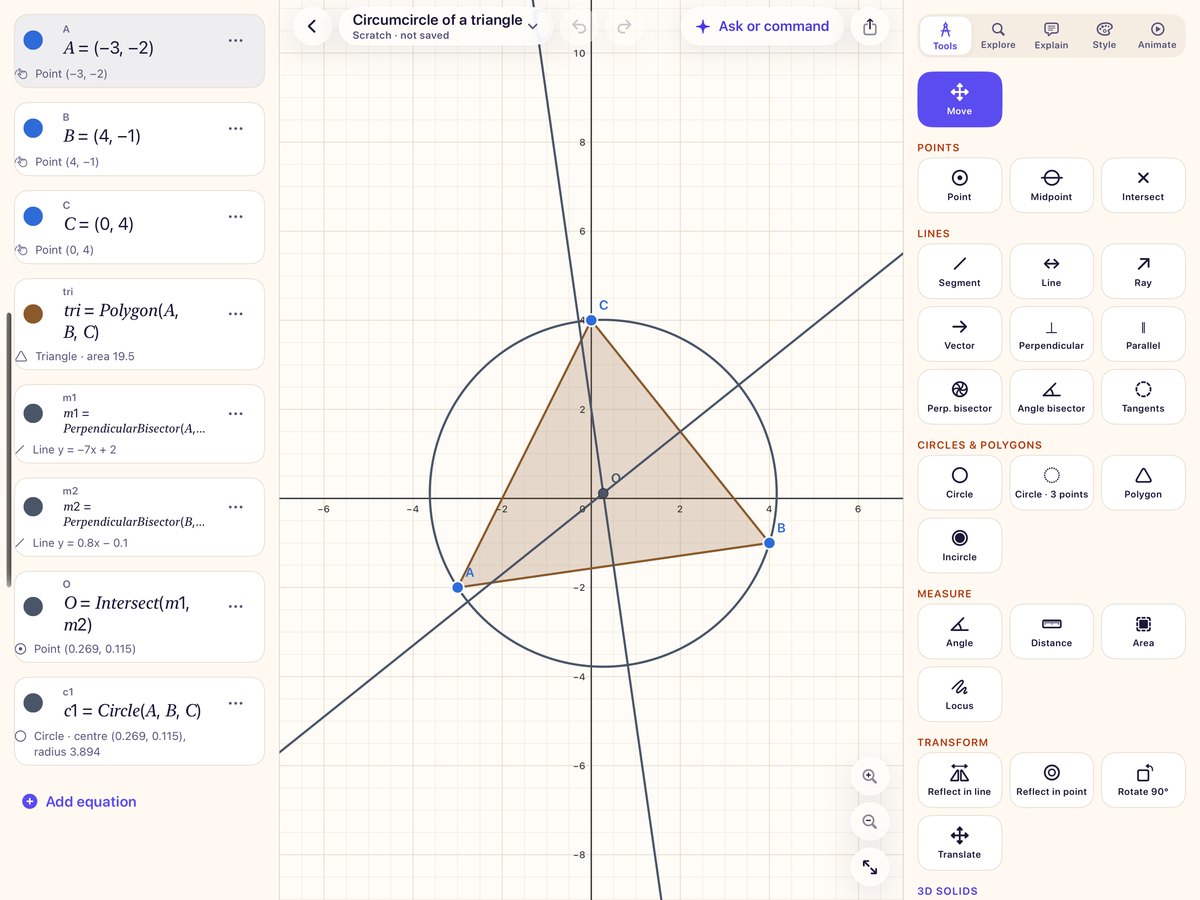
Constructions, the way you draw them on paper
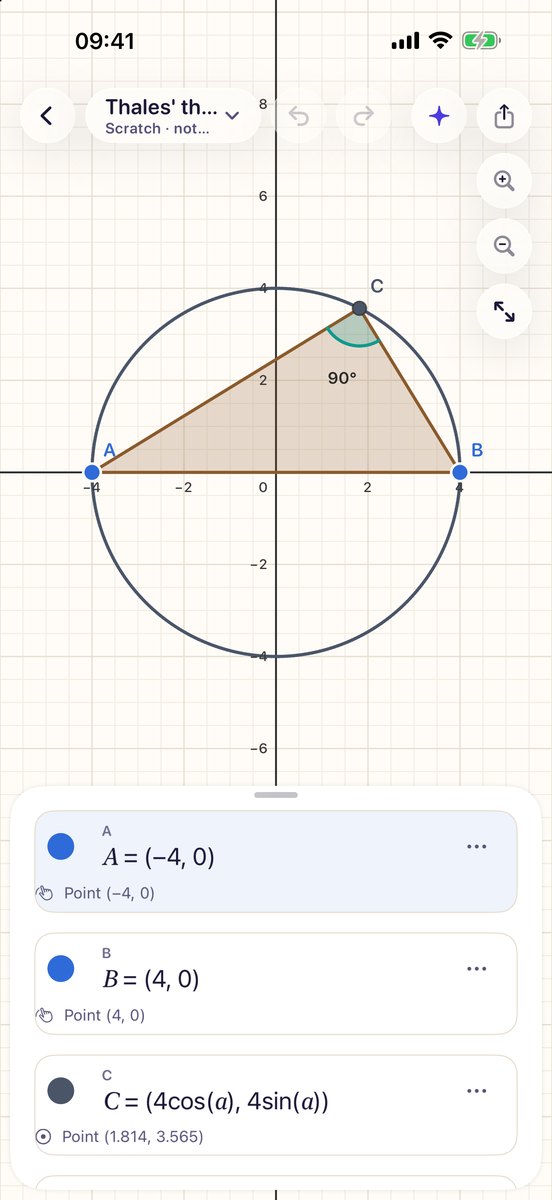
Points, segments, lines, perpendiculars, bisectors, circles, polygons, angles, tangents, reflections, rotations and loci. Drag a point and every length, angle and area updates.
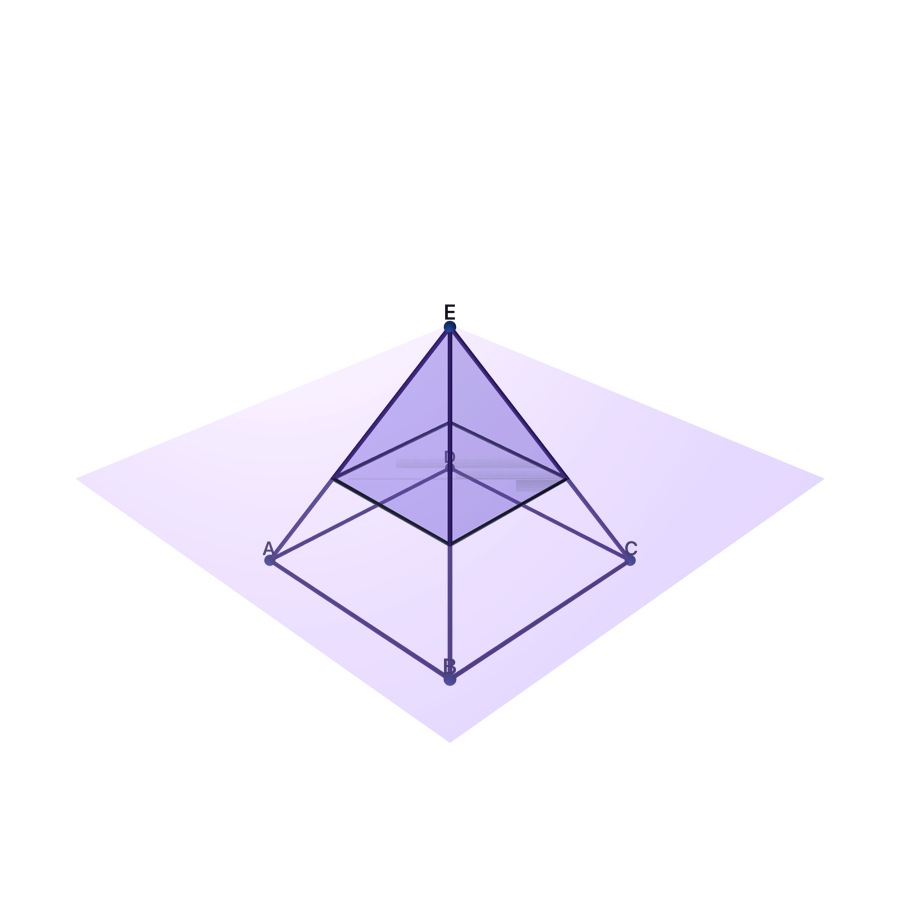
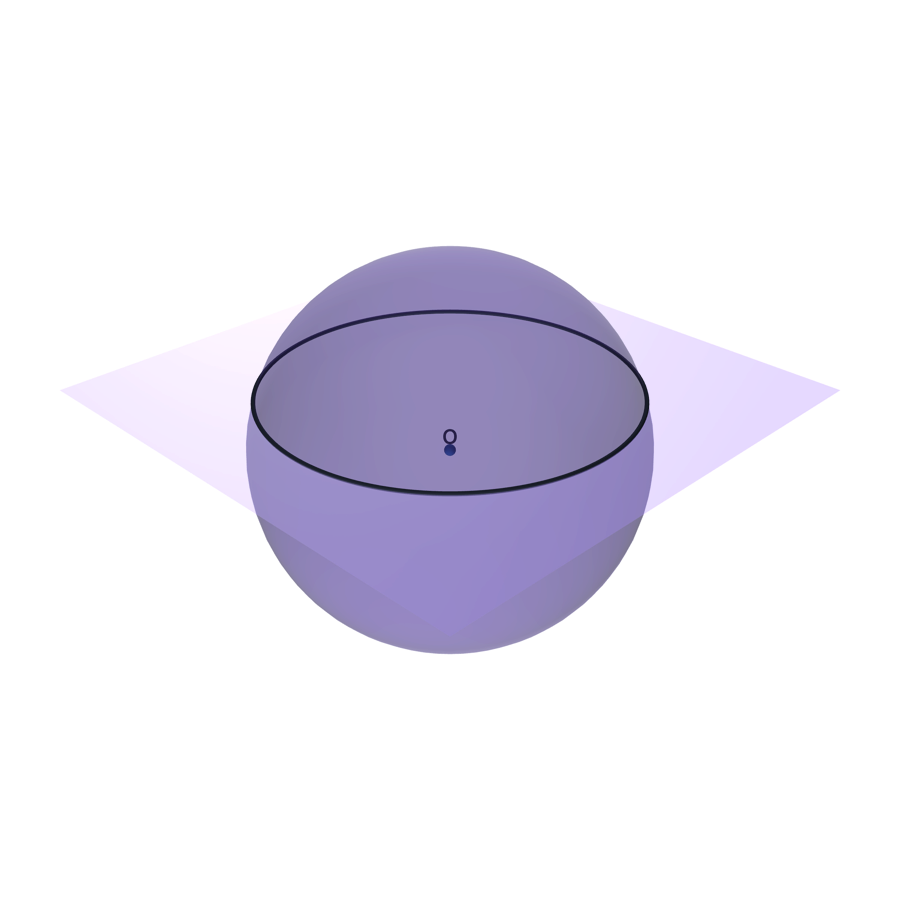
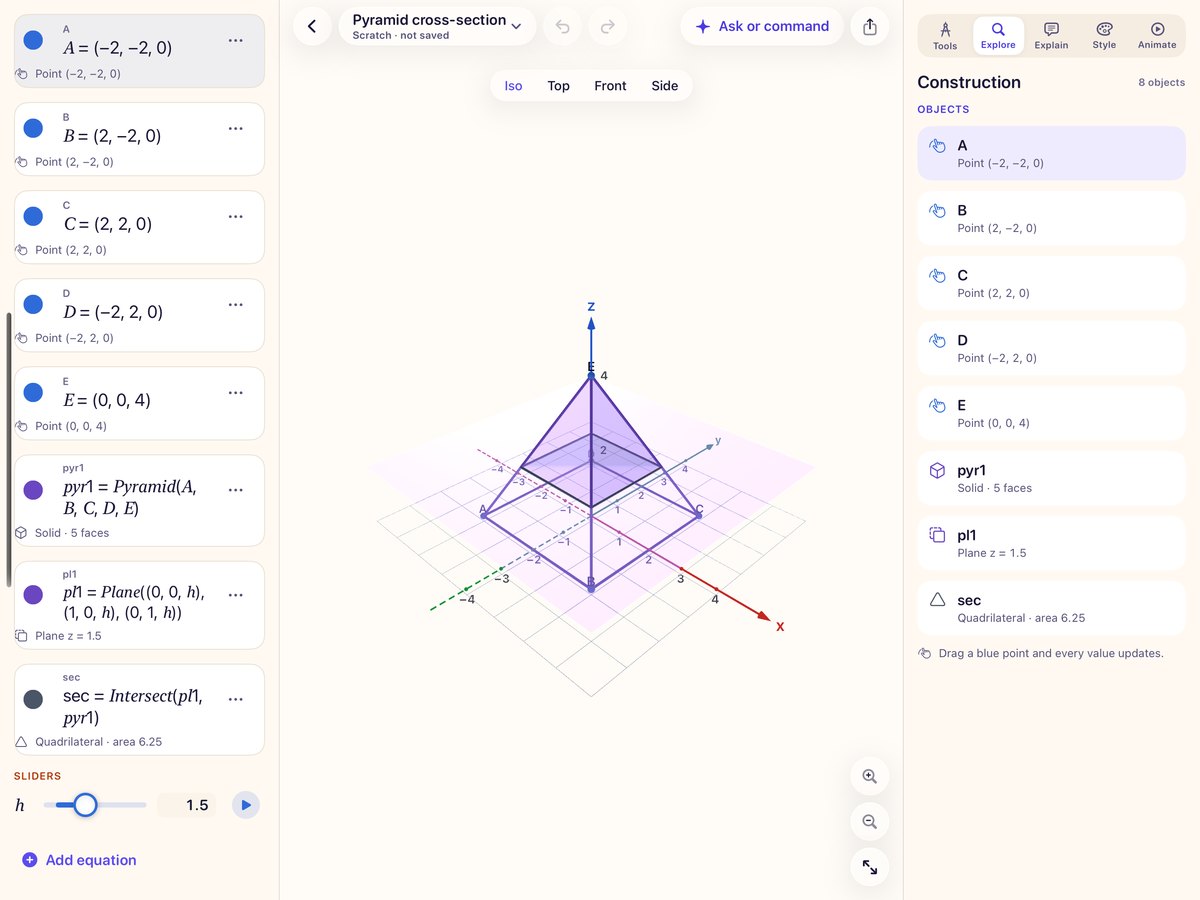
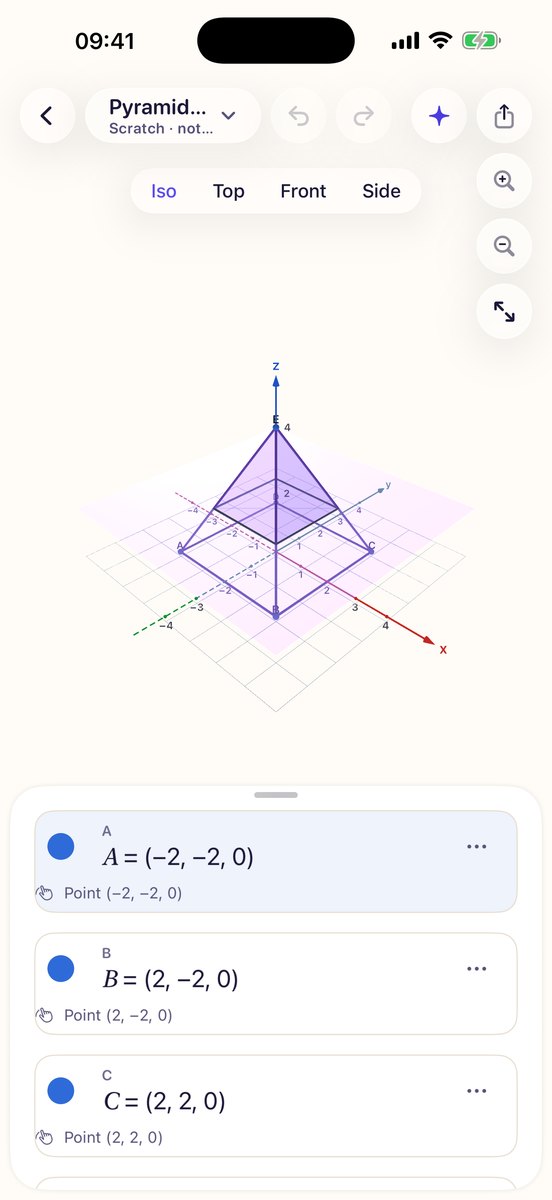
In 3D: planes, spheres, pyramids, prisms and cubes, their cross-sections, and the curves where surfaces meet. Tap with a tool, or type commands such as Circle(A, 3).
Problem Solver
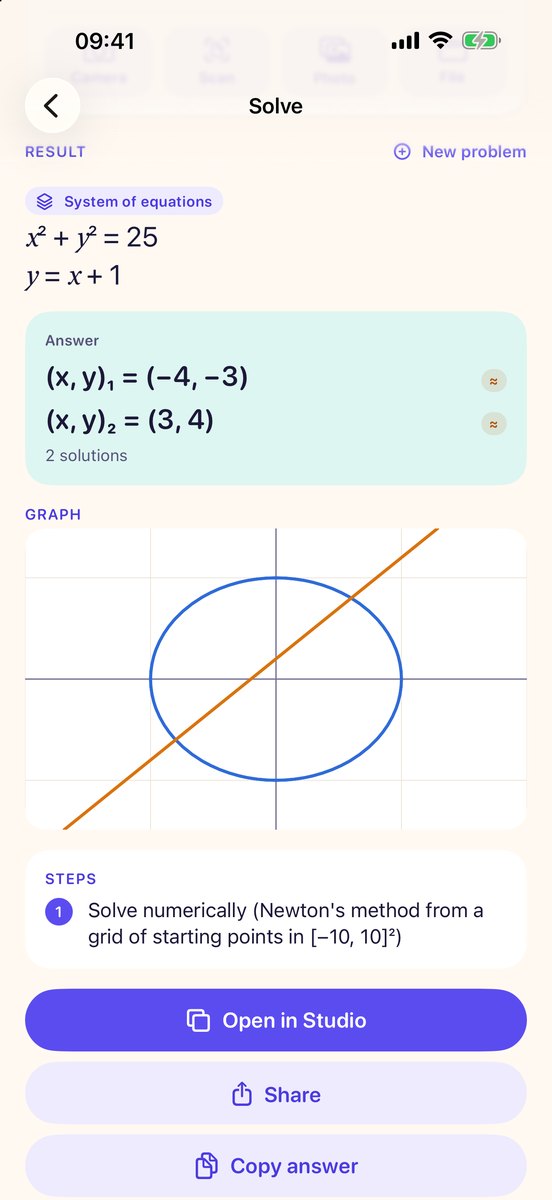
Type, photograph or scan a problem: equations, systems, inequalities, expressions, derivatives, integrals, function analysis. Get the answer with steps, then change the numbers with sliders and get new results instantly.
AR at real size
Put a surface or solid on your desk on iPhone and iPad and walk around it, at the size it really is.
Ready for the 3D printer
A print check before you export, and STL, OBJ or USDZ files when it passes.
Math Story lessons
Build a lesson scene by scene and present it, with a presenter view on a second display and Apple Pencil ink and laser pointer.
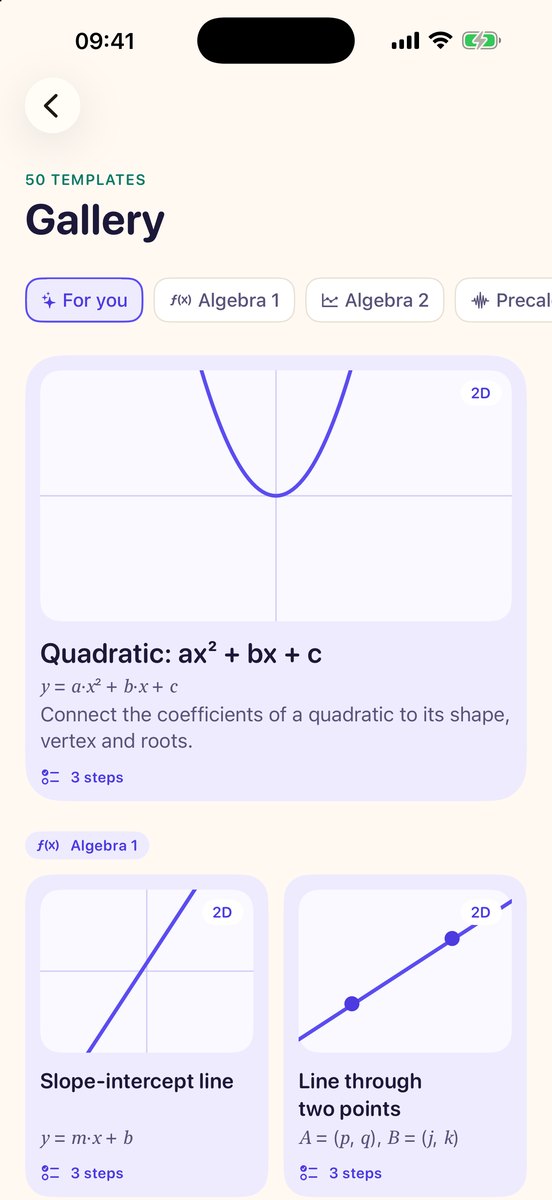
50 ready-made lessons
From slope-intercept lines and vertex form to sine waves, tangent lines and surfaces, sorted by course and ready to open.
Export anything
PNG, SVG and PDF for worksheets and slides; GIF and MP4 to show a slider in motion.
Graphs you can hear
VoiceOver reads the graph and plays it as sound, so the shape of a curve comes through without seeing it.
English, Español, Tiếng Việt
The whole app, including explanations and lessons, in three languages.
Private and offline
No account and no server. Your work stays on your device, the AI runs on the device, and everything works without a connection.
Try VizMath in your browser
A small web version of three things the app does. Type an equation, drag the sliders, turn a surface, solve a problem with steps.
y = f(x), a bare expression in x, or a curve like x² + y² = 9. Use y < … to shade a region.
Examples
Drag to turn the surface, scroll to zoom. Arrow keys turn it too.
Examples
Equations, systems (separate them with commas), inequalities, arithmetic, d/dx …, integral of … from … to …, f(x) = … . Extra letters become sliders.
Examples
Everything here runs in this page. Nothing you type is sent anywhere. The app does much more: scanning, constructions, AR and lessons.
Math you can hold
Surfaces and solids made in VizMath, ready to place in AR or send to a 3D printer.
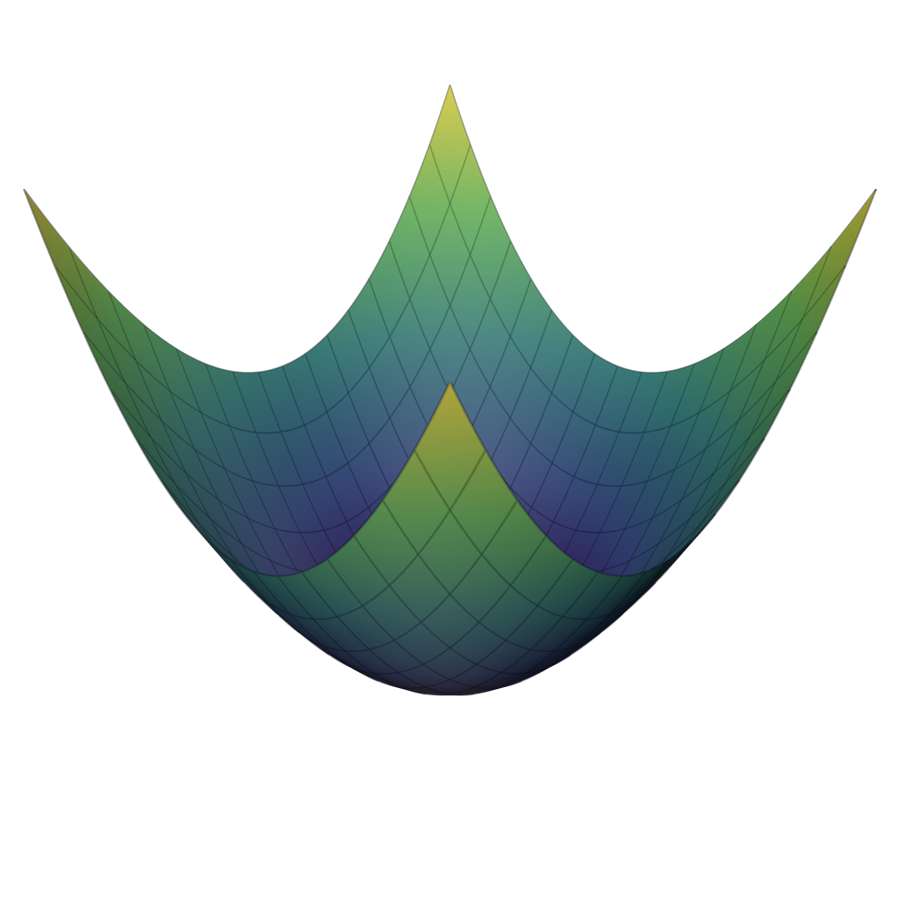
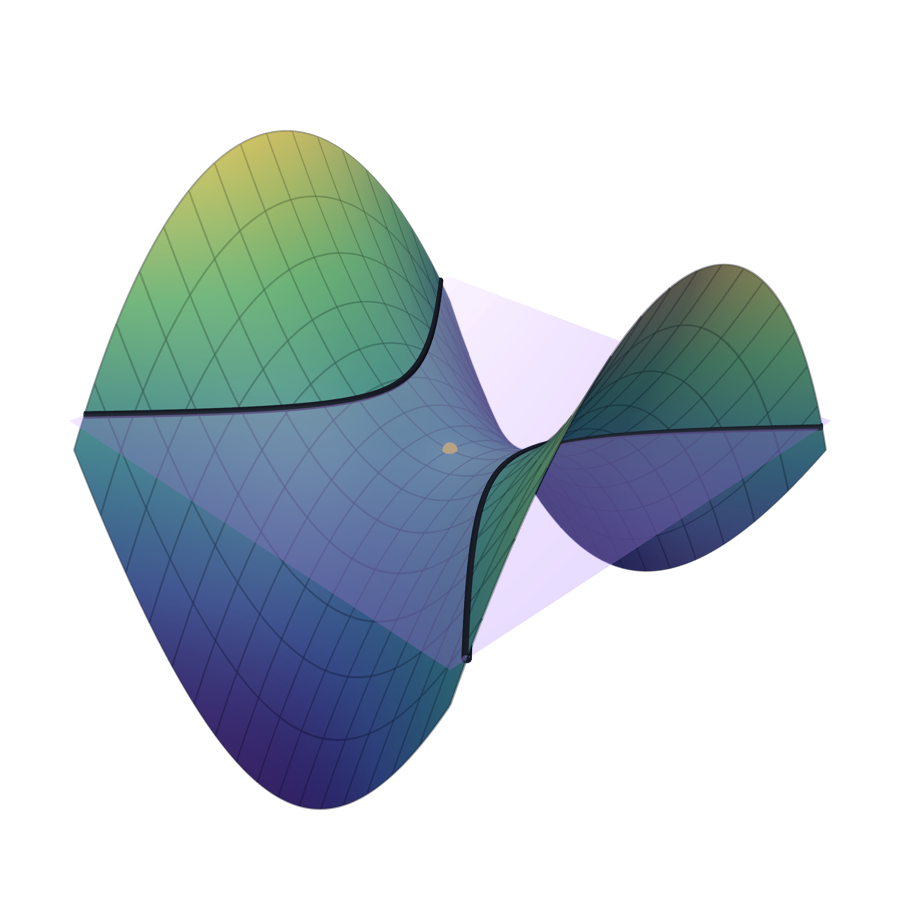
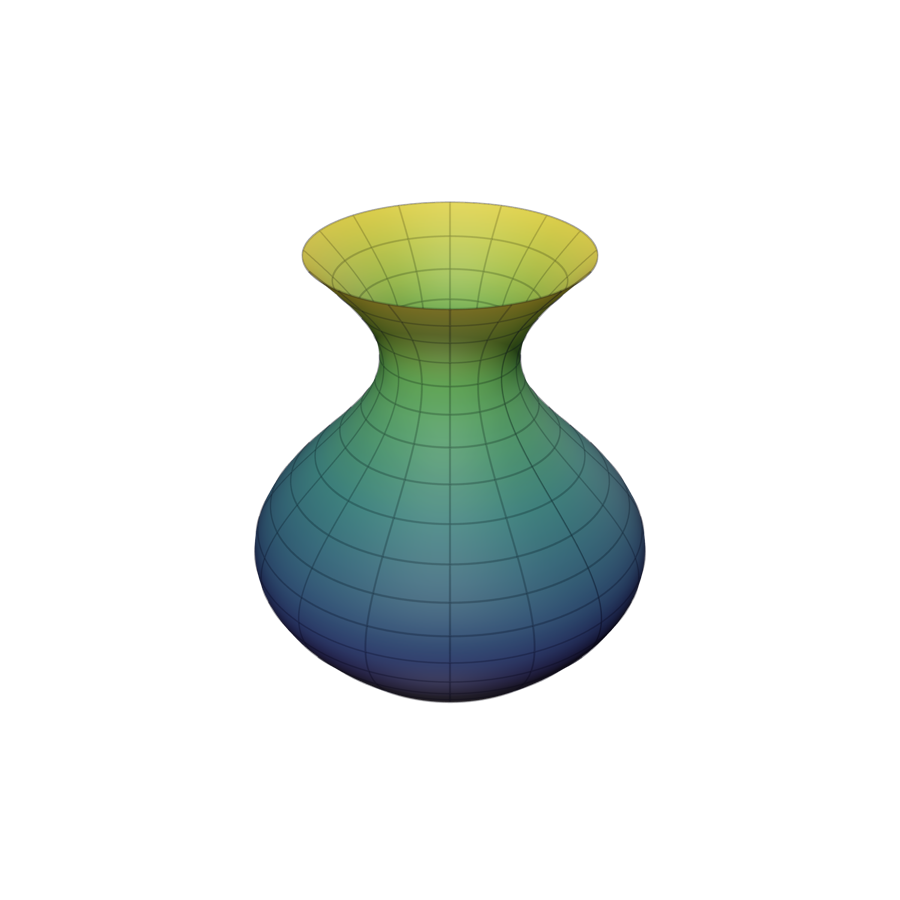
Made for iPad and Mac too
The equation list, the canvas and the explanation side by side on a big screen. Present a Math Story on a second display with a presenter view on the iPad, and mark it up with Apple Pencil ink or a laser pointer.
One purchase covers iPhone, iPad and Mac.
Math on your wrist
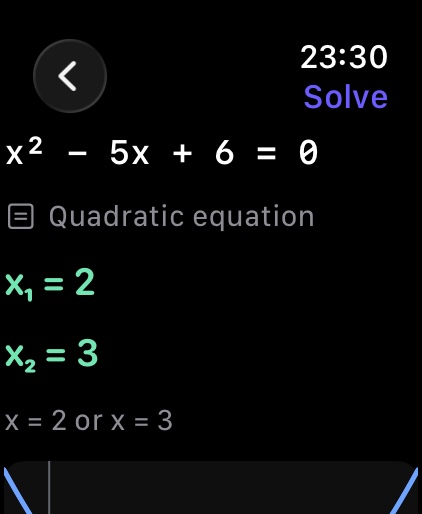
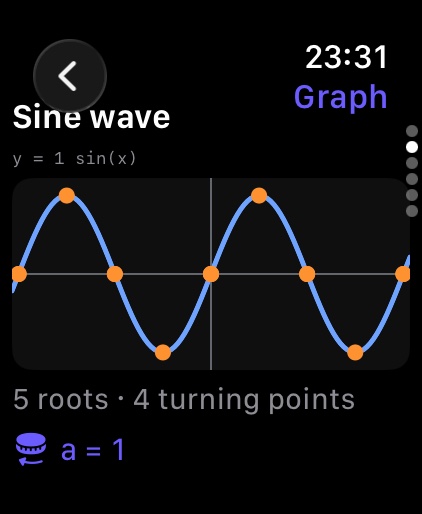
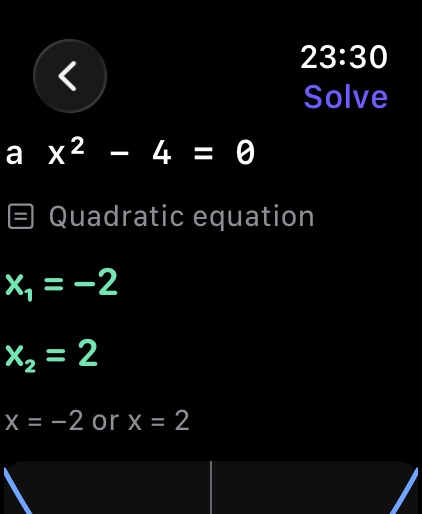
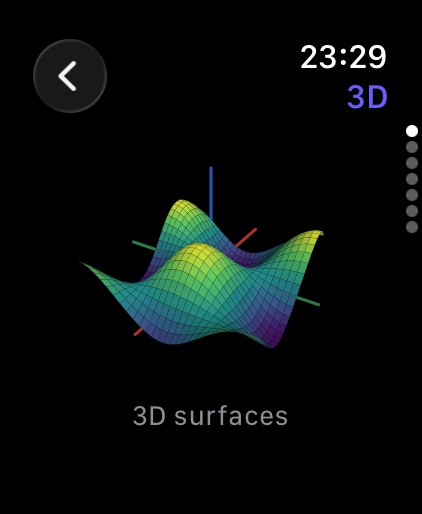
The Apple Watch app solves a problem you dictate or write with Scribble, shows graphs and slowly rotating 3D surfaces, and lets you turn the Digital Crown to move a slider.
A closer look
Free to explore. Pro when you publish.
VizMath is free. VizMath Pro adds production-quality exports for teachers and creators:
- 4K / 60 fps video
- Longer video and GIF without the mark
- Extra-high-resolution images
- AR video
- Print Fix Studio
- 12-scene stories
- Story video and handouts
Prices shown are US dollars; the App Store charges in your own currency. One purchase covers iPhone, iPad and Mac with the same Apple Account. Subscriptions renew automatically until cancelled in your Apple Account settings at least 24 hours before the period ends.
No account. No ads. No tracking.
VizMath collects no data. Your equations, constructions and projects stay on your device, the AI explanations run on the device, and everything works offline.
Read the privacy policySupport
Write to [email protected]. A person reads it, usually within two working days. Say which device you are on and, if something went wrong, the equation or problem you typed.
What is free, and what does Pro add?
VizMath is free to download and use. Pro is for production exports: 4K / 60 fps video, longer video and GIF without the mark, extra-high-resolution images, AR video, Print Fix Studio, 12-scene stories, and Story video and handouts.
I paid but Pro is not unlocked.
Open Settings → Subscription → Restore Purchases. Purchases are tied to your Apple Account, so use the same one you bought with; one purchase unlocks iPhone, iPad and Mac. If it still does not appear, write to us with the date of purchase.
How do I cancel a subscription?
Settings → Subscription → Manage Subscription in the app, or in your Apple Account settings. Cancel at least 24 hours before the period renews. Lifetime is a single payment and never renews.
How do I get the best out of the Problem Solver?
Type a problem as you would write it: 2x + 3 = 7, x^2 − 5x + 6 = 0, a system separated by commas, d/dx x^3 sin(x), integral of x^2 from 0 to 3. To scan, hold the page flat in good light with one problem in the frame, and check the recognised text before solving; correct any symbol that was misread. Letters such as a, b or k become sliders, so you can change the numbers and see the new answer at once.
How do I build a construction?
Open the Tools tab, pick a tool and tap points on the canvas, or type commands such as A = (1, 2), Segment(A, B), Circle(A, 3), Intersect(c1, c2) or Pyramid(A, B, C, D). Drag any free point and everything built from it follows.
What does the Apple Watch app do?
Dictate a problem or write it with Scribble and get the answer, look at graphs and rotating 3D surfaces, and turn the Digital Crown to change a slider.
I think VizMath got the math wrong.
Send us the equation and a screenshot. Wrong math is the bug we fix first; we aim to fix it within 72 hours. Explanations are checked by the math engine, but for anything that matters, check the result yourself.
Does it work offline?
Yes. Graphing, 3D, constructions, the solver and the on-device AI all work without a connection. Only buying or restoring Pro needs the network.
Which languages?
English, Español and Tiếng Việt.