
iPhone · iPad · Mac · Apple Watch
Your family’s scans, kept private.
Open the CD, USB drive, ZIP or hospital link you were given, and see your family’s X-ray, CT, MRI and ultrasound images in plain language — on iPhone, iPad, Mac and Apple Watch.
Free to download · No account · No ads · For viewing only, not for diagnosis
Requires iOS 26, iPadOS 26, macOS 26 or watchOS 26 or later.
What Raykin promises
Nothing to sign up for
No account, no ads, no tracking. Open the app and start.
Stays on your device
Raykin has no servers. We never receive your images or your information.
Plain language
Short explanations of what each series shows, and a glossary for the words on your report.
For viewing, not diagnosis
Raykin helps you see and organise your images. Your doctor reads the results.
Open what the hospital gave you
Hospitals hand out scans in all sorts of ways. Raykin opens them and sorts everything into people and visits for you.
CD or DVD
On a Mac, insert the disc and Raykin copies it first, then you can eject it. It never runs the viewer programs on the disc.
USB-C drive
Plug the drive into your iPhone, iPad or Mac and choose it in Raykin.
Files, folders and ZIP
Open single DICOM files, whole folders or a ZIP archive.
DICOMDIR
Many hospital discs include a DICOMDIR index file, and Raykin reads it.
Hospital QR code
Scan the code on your results paper. Raykin opens the hospital’s page and captures the downloads automatically.
Portal link
Open the link the hospital sent you. Downloads are captured automatically and filed for you.
Photo of an old film
No disc for an old X-ray film? Photograph it against a bright light and keep it with the rest.
Paper report
Scan a printed report with the camera and keep it with your scans.
Everything is sorted into people and visits automatically. Up to two family members are free; Raykin Pro removes the limit.
A viewer that explains itself
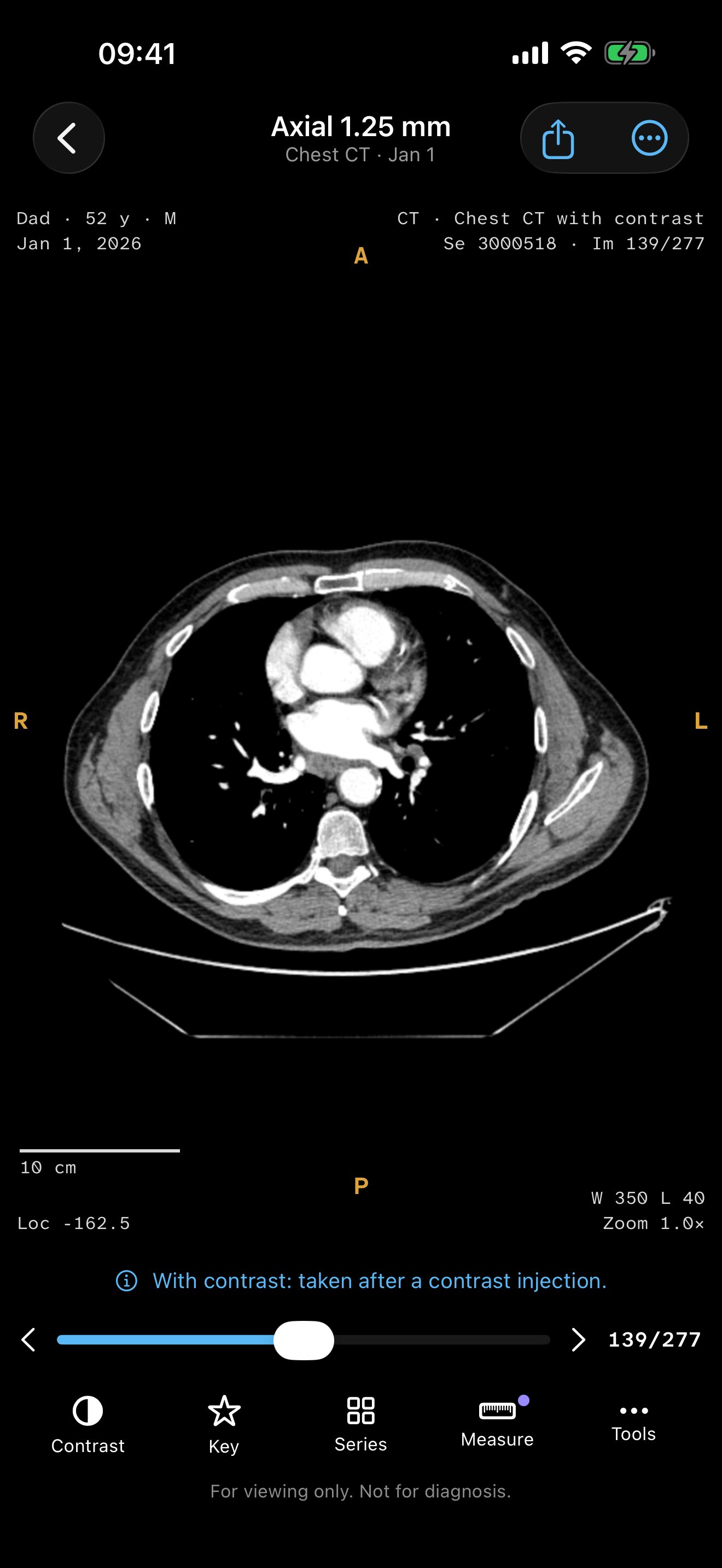
Everything you need to look closely, with plain-language help whenever a word or a series name is unfamiliar.
- Scroll through slices, and play moving images as a loop.
- Adjust brightness and contrast, or pick a preset.
- Zoom, rotate and invert.
- View one to four images at a time.
- Cross-reference lines and a localizer mini-map show where each slice sits.
- The Series Explainer says what an MRI sequence or CT series is for, in plain words, and a glossary covers the rest.
- Star key images so you can find them again.
- See the views and marks the hospital saved with your scan.
Show the Doctor
Hand over your phone without worry. Show the Doctor puts one visit on the full screen, and leaving it needs your Face ID or passcode.
When you need to look closer
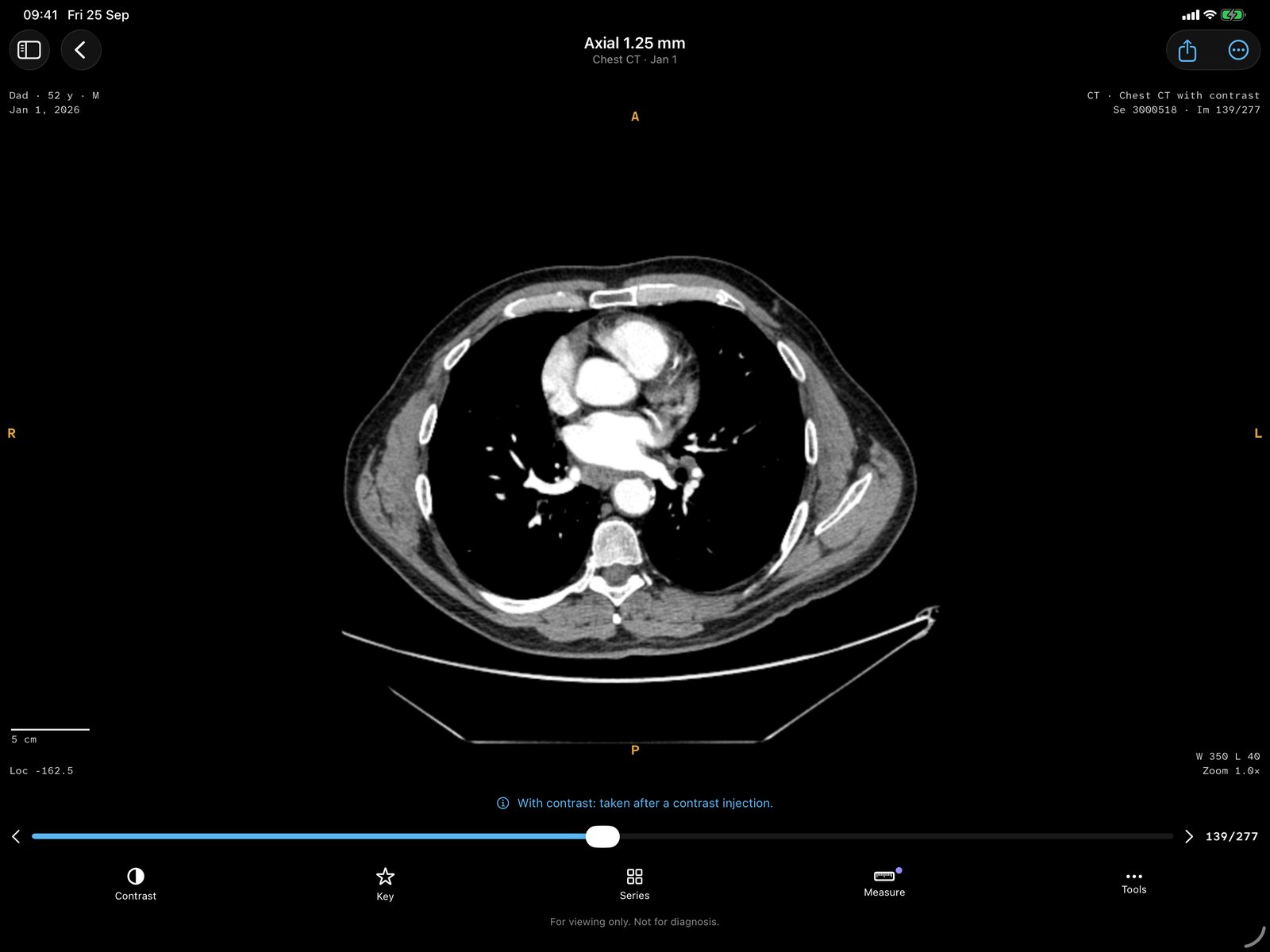
Raykin Pro adds tools for comparing, measuring, exploring in 3D and sharing safely. You can try every one of them free on the built-in sample family.
Then & Now
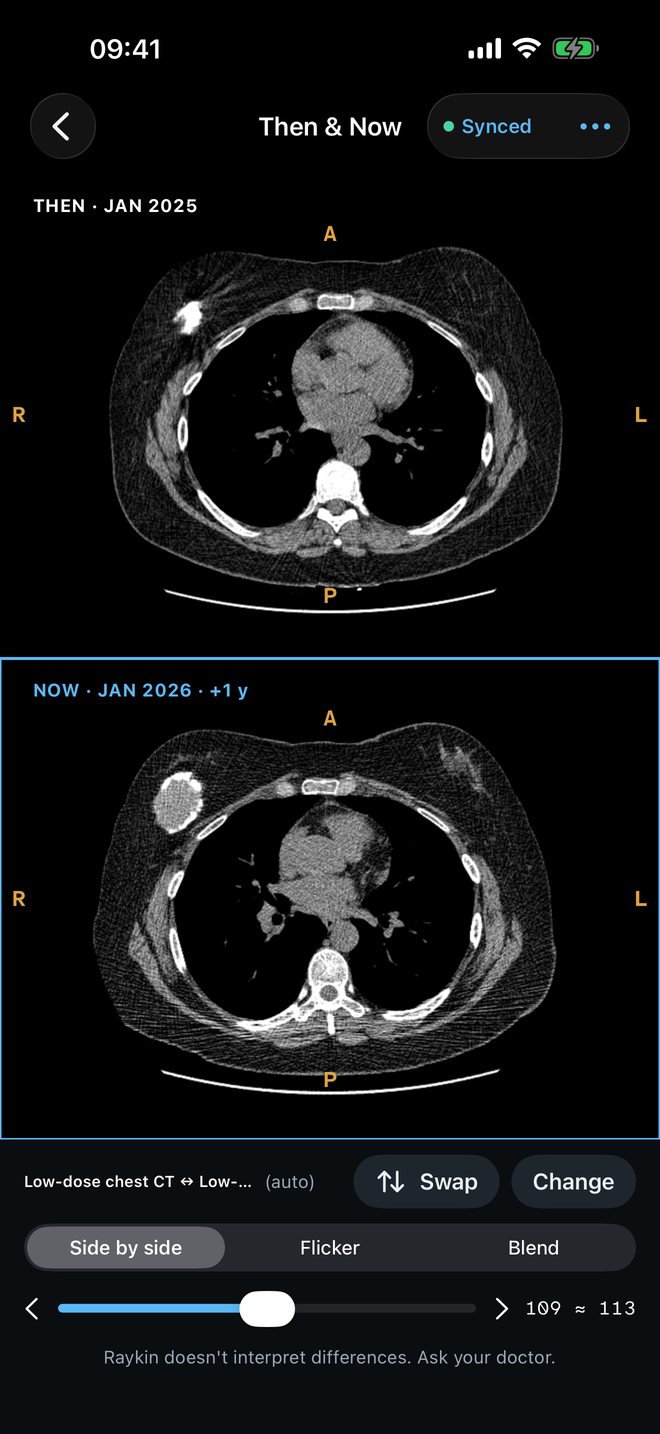
Put two dates side by side to see what has changed. Flicker between them or blend one over the other, and positions stay in sync as you scroll.
Measurements
Measure distances in millimetres, angles and areas, and probe CT density in HU. Measurements are approximate.
Raykin doesn’t interpret differences. Ask your doctor what they mean.
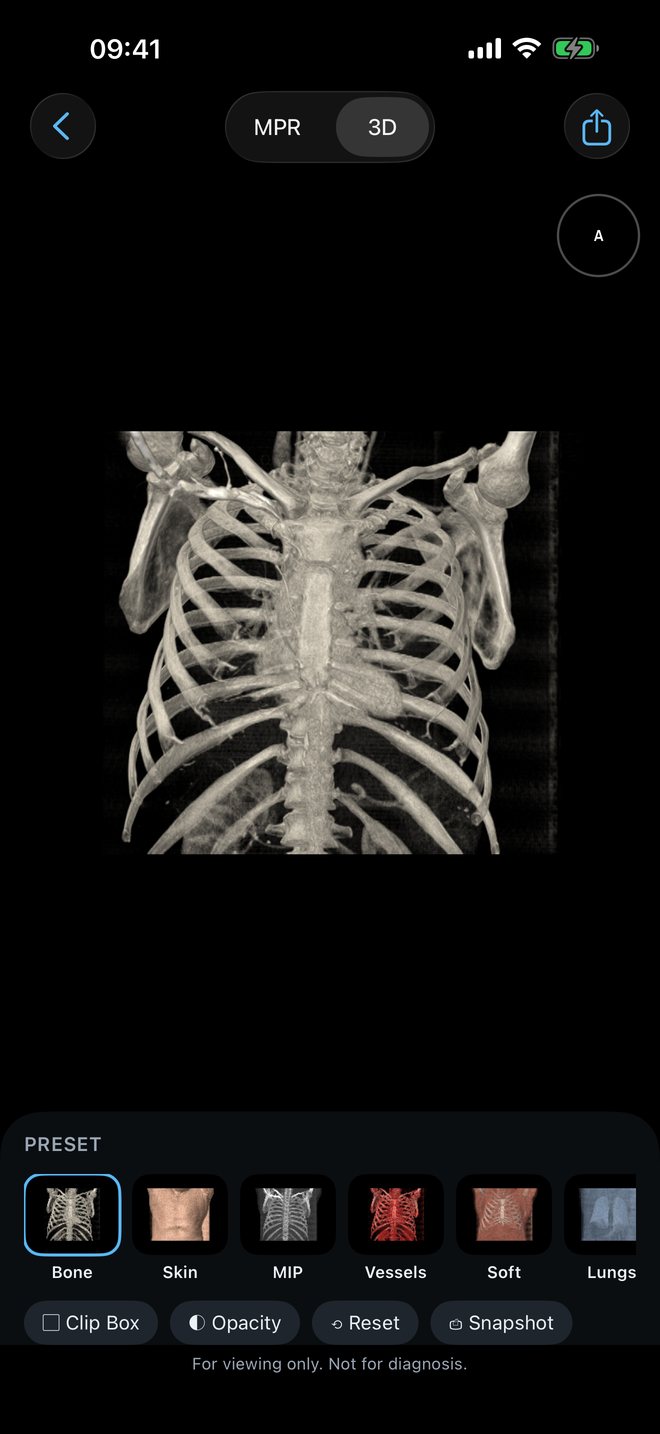
MPR & 3D
See a CT or MRI series from every side: axial, coronal and sagittal, oblique planes, and thick slabs with MIP, MinIP or average.
3D volume rendering
Presets for bone, skin, vessels, lung and more. 3D views are approximate and for viewing only.
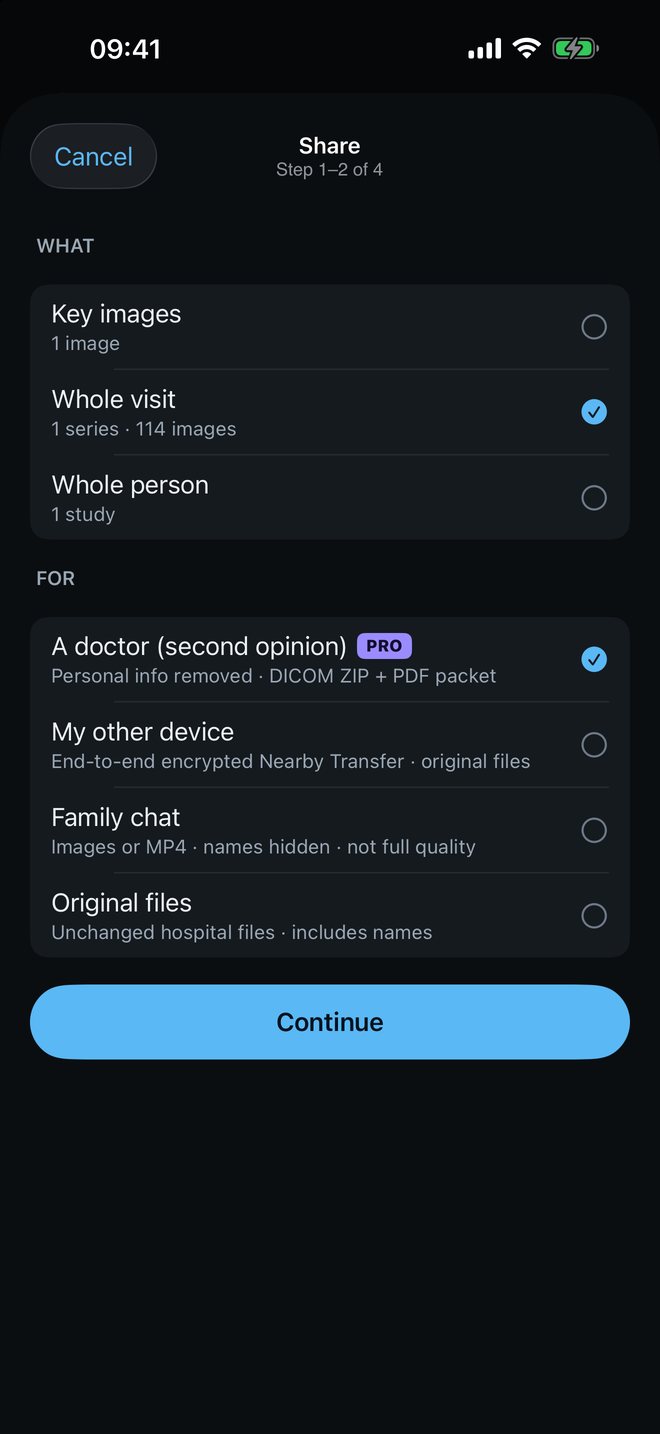
Clean Share
Sending scans for a second opinion? Clean Share makes a copy with the personal details taken out, so you share the images and not your identity.
- Removes names, IDs, birth dates and hospital details from the copy.
- Shifts the dates.
- Flags text burned into the images, so you can cover it.
- Shares a ZIP, images, a video or a second-opinion PDF packet.
Your originals never change. Always look over what you share before you send it.
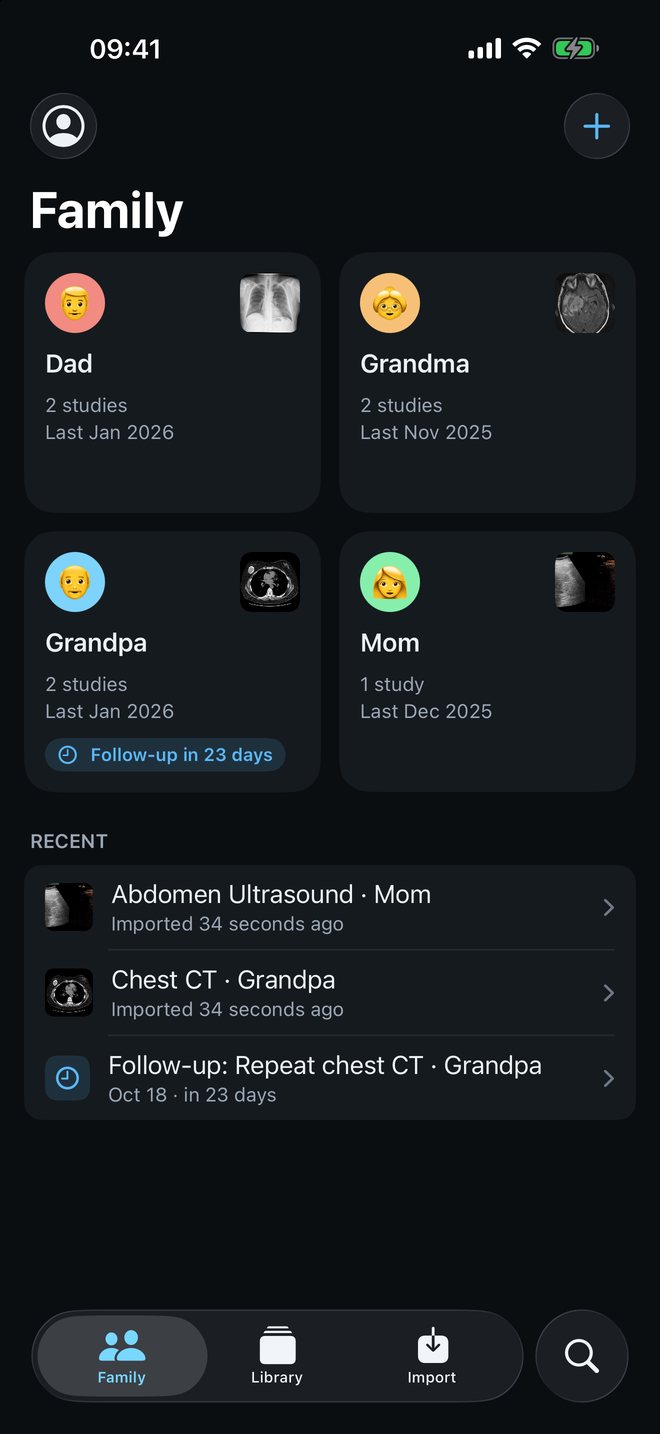
The whole family, in one private place
Raykin sorts scans into people and visits by itself, so a year of appointments doesn’t turn into a pile of discs.
- Follow-up reminders with your questions for the doctor, ready to add to Calendar.
- An Imaging Notes card for implants, allergies and past contrast reactions, also on your Apple Watch.
- Lock Raykin with Face ID or your passcode, or lock just one person.
- Smart Search finds scans in plain words (Raykin Pro).
Up to two family members free. Unlimited with Raykin Pro.
On every Apple device you use
Raykin is made for iPhone, iPad, Mac and Apple Watch, with the small extras that keep it close at hand.
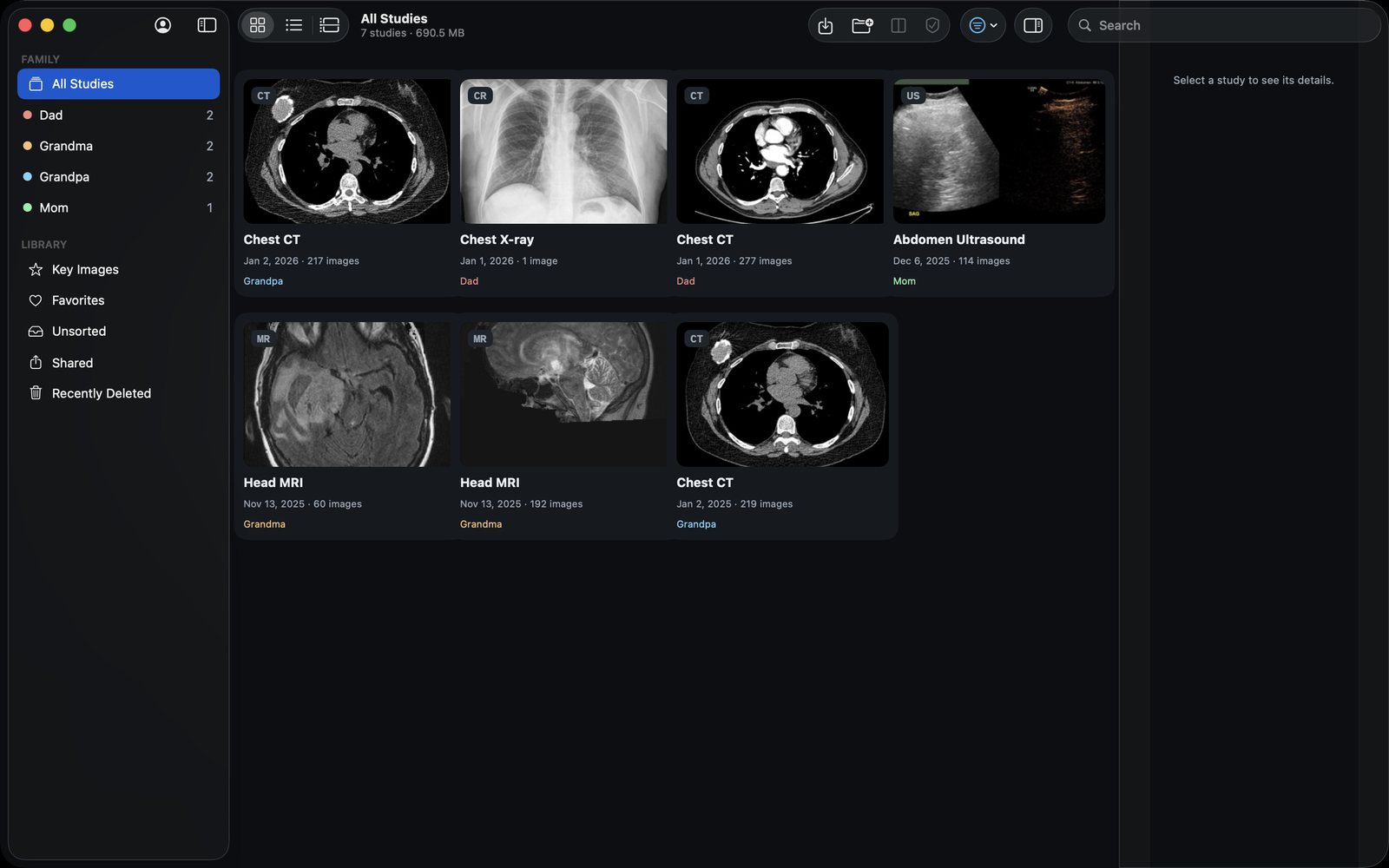
Mac, with disc rescue
Insert a hospital CD and Raykin copies it first, then you can eject it. It never runs the viewer programs that come on the disc.
Quick Look previews and Finder thumbnails for .dcm files, drag and drop, and a helper in the menu bar.
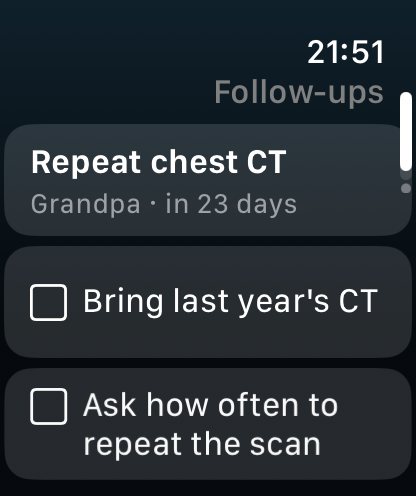
Apple Watch
Your next follow-up with its question checklist, your Imaging Notes, and the key images you chose, zoomed with the Digital Crown.
Recent visits hand off to your iPhone, and complications put Raykin on your watch face.
Home Screen widgets
Next follow-up, family, quick actions, a key image and recent visits.
Lock Screen & Live Activities
Lock Screen widgets, plus Live Activities and the Dynamic Island while a transfer or share is running.
Control Center
Add Raykin’s controls to Control Center.
Siri & Shortcuts
Say “Show the doctor in Raykin” or “When is my next follow-up in Raykin”, or use Raykin’s actions in the Shortcuts app.
Focus filter
Hide details while a Focus is on.
Spotlight
Find scans from Spotlight search, if you turn it on.
Widgets and the Watch hide names and exam titles unless you turn details on.
Private by design
No account, no ads, no analytics, no tracking, no third-party SDKs and no servers of ours. Everything Raykin does happens on your device, and we never receive your images or your information.
ORIENTPRO does not collect any data from this app.
Nearby Transfer
Move scans between your own devices, end-to-end encrypted over your local network. Pair with a QR code or a 27-digit code. Nothing goes through the internet.
Raykin Archive
An encrypted backup file (AES-256) locked with a passphrase that only you know.
Hospital portals
When you open a hospital QR code or link, Raykin opens only that hospital’s page, and what you download goes straight to your device.
Face ID lock
Lock the whole app, or just one person, with Face ID or your passcode.
Screen privacy
A warning when the screen is being recorded, and an option to hide Raykin’s content in the App Switcher.
Delete Everything
One setting erases your whole Raykin library from the device.
In your language
Raykin speaks 12 languages. Switch inside the app, without changing your device’s language.
Free to use. Raykin Pro when you need more.
Opening, viewing and organising your family’s scans is free, with no account and no ads. There is no free trial, but you can try every Pro tool free on the built-in sample family.
Free
No account, no ads, no time limit.
- Import from discs, drives, files, ZIP, DICOMDIR, QR codes and portal links
- Photos of old films and scanned paper reports
- The full image viewer, with the Series Explainer and glossary
- Show the Doctor, follow-up reminders and Imaging Notes
- Face ID lock, Nearby Transfer and Raykin Archive
- Up to two family members
Raykin Pro
Everything in Free, plus:
- Unlimited family members
- Then & Now comparison
- Measurements in mm, angles, areas and HU
- MPR and 3D volume rendering
- Clean Share
- Smart Search in plain words
US prices; prices in other countries vary, and the final price is shown in the App Store before you buy. Subscriptions renew automatically until cancelled. Cancel at least 24 hours before renewal in Settings › Apple Account › Subscriptions. Restore purchases and redeem offer codes in the app.
Questions
Is Raykin a medical device?
No. Raykin is for viewing and organising your own medical images. It is not intended for diagnosis, treatment or clinical decisions, and it does not replace your doctor or the hospital’s official report.
Is anything uploaded?
No. Raykin has no account and no servers. Your scans stay in the app’s private storage on your device, and nothing is sent to us.
I have a CD, but no CD drive.
Use Raykin on a Mac with a disc drive, ask the hospital for a USB drive, ZIP file or download link, or copy the disc to a USB drive on any computer.
Can I try Raykin Pro first?
Yes. Every Pro tool works free on the built-in sample family, so you can see how it works before you buy. There is no free trial on your own scans.
Your family’s scans, kept private.
For iPhone, iPad, Mac and Apple Watch. Free to download, with no account and no ads.
Requires iOS 26, iPadOS 26, macOS 26 or watchOS 26 or later.