
iPhone · iPad · Mac · Apple Vision Pro · Apple Watch · Android
Build molecules. See chemistry in 3D. Understand why.
Put a molecule together atom by atom and watch it settle into its real 3D shape. Chemistry 3D names the shape, measures every angle, shows where the charge sits and explains why, then takes you through the periodic table, reactions, a virtual lab, calculators and guided lessons.
Free on the App Store and Google Play · No account · Works offline
Requires iOS 26, iPadOS 26, macOS 26, visionOS 26 or watchOS 26, or Android 10 or later.
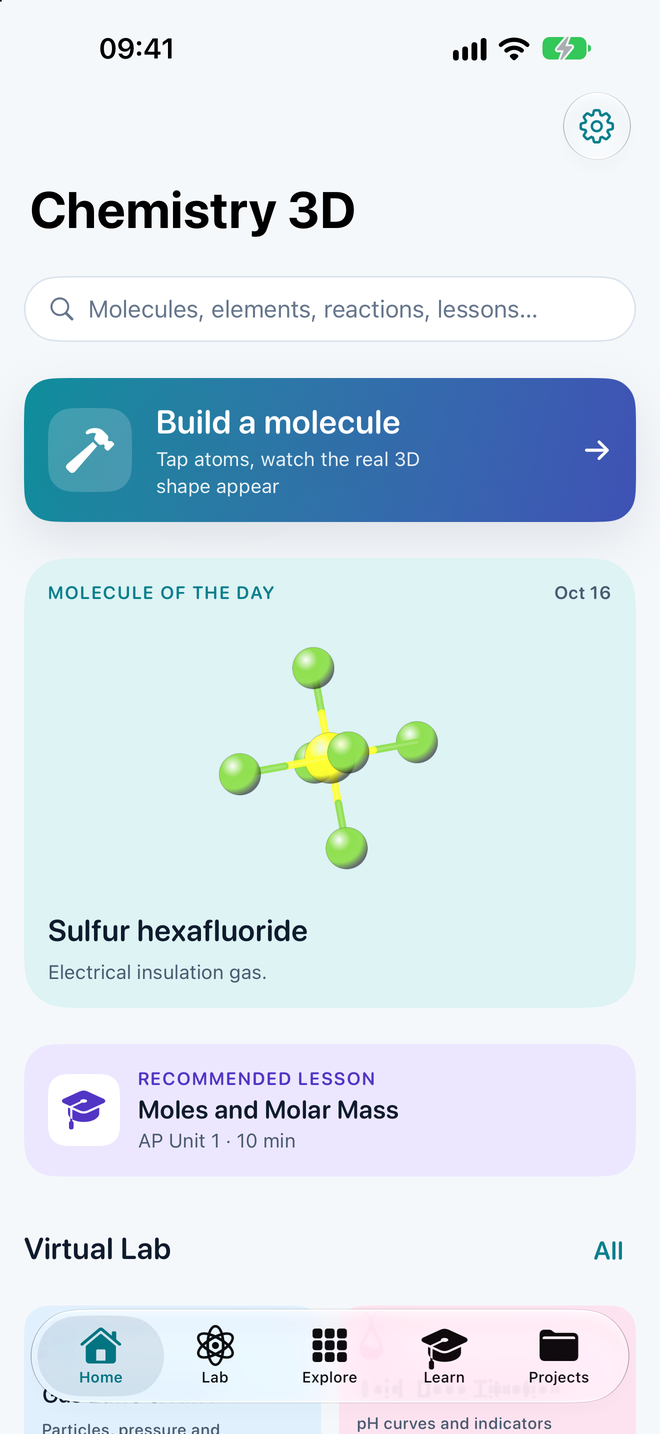
Chemistry 3D in numbers
Turn a molecule in your hands
A small taste of the Lab, running in this page. Pick a molecule, drag it around and see why it has the shape it has. Every position below is computed from real bond lengths and angles.
Water
H2O
- Shape
- Bent
- VSEPR
- AX2E2
- Bond angle
- H–O–H 104.5°
- Bond length
- O–H 0.958 Å
- Polarity
- Polar
- Molar mass
- 18.015 g/mol
Two bonds and two lone pairs spread out like a tetrahedron. The lone pairs push harder than the bonds, so the angle closes from 109.5° to 104.5° and the molecule is bent.
- H
- C
- N
- O
- Lone pair
Runs entirely in this page; nothing is sent anywhere. The app adds building, editing, four drawing styles, measurements, dipoles, intermolecular forces and much more.
Build it, and it takes shape
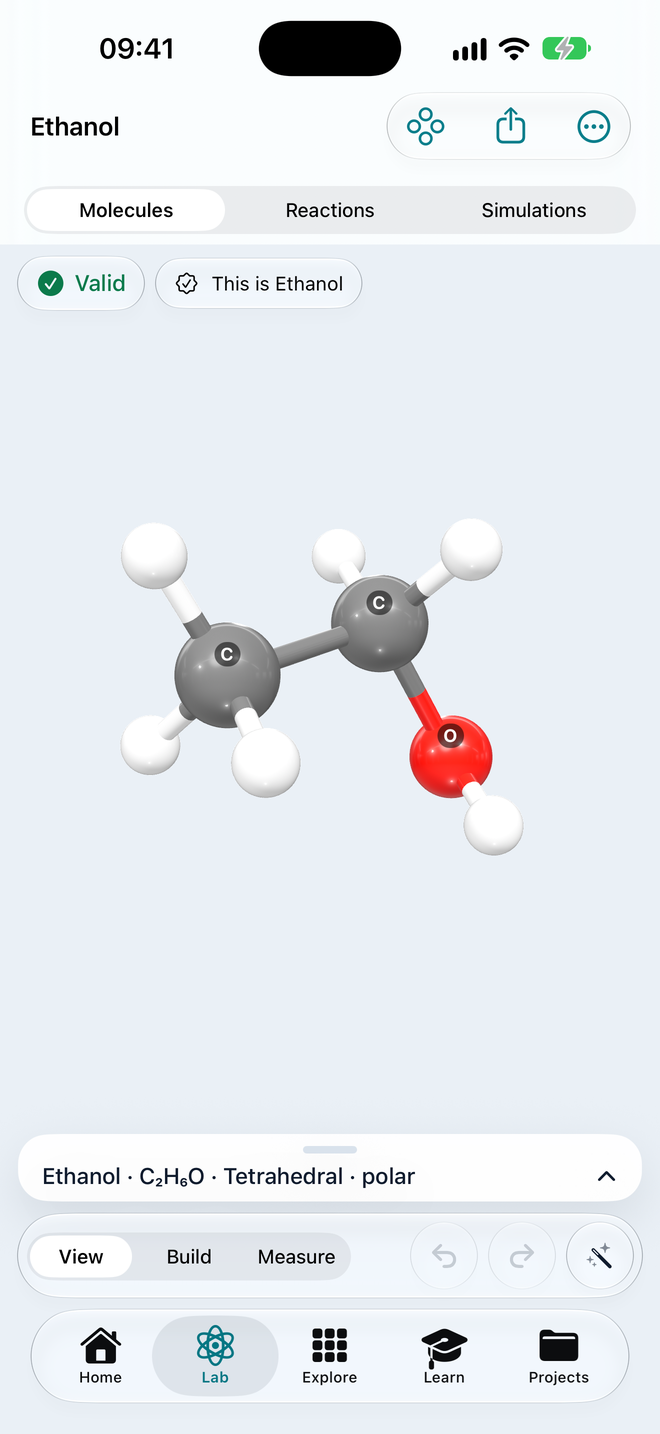
Tap atoms onto the canvas, or type a name, a formula or a SMILES string. Hydrogens fill in, the structure is checked as you build, and the molecule settles into its 3D geometry in real time.
Live 3DBall-and-stick, licorice, space-filling or wireframe. Turn it, zoom it, measure any distance or angle, and see the Lewis structure beside it.
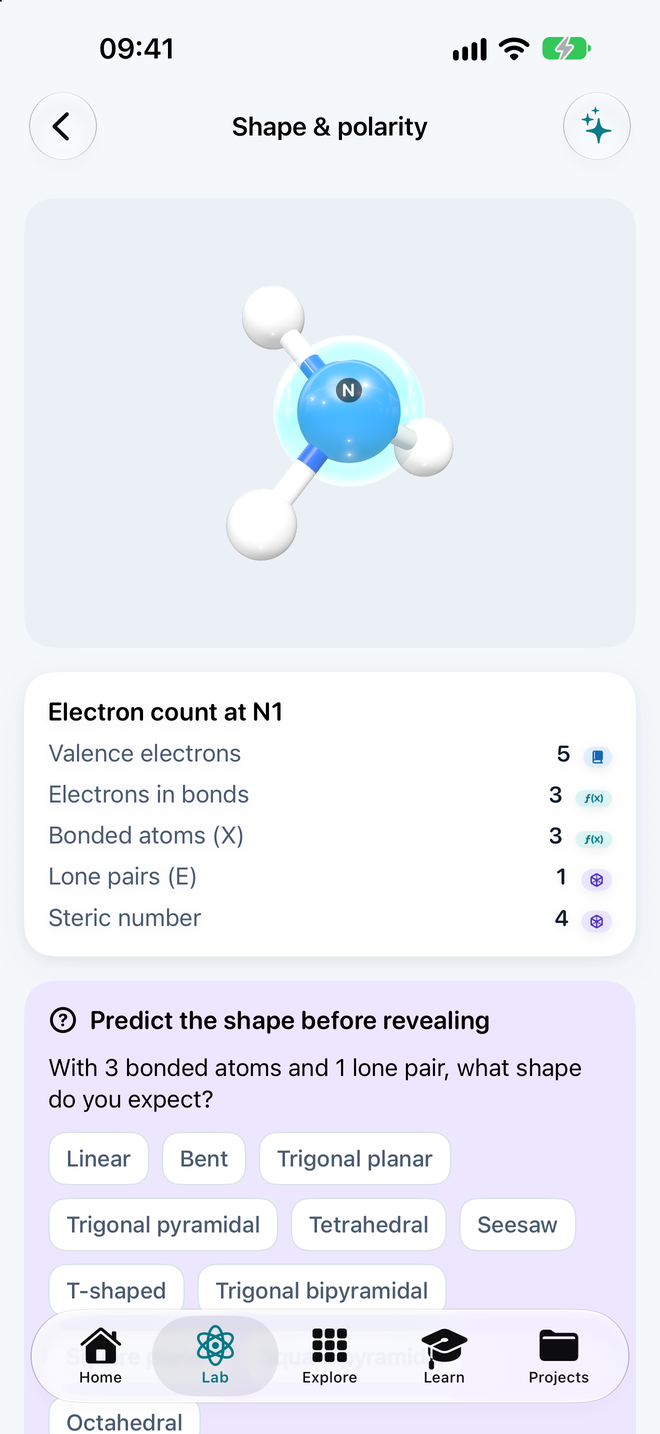
VSEPR, explainedThe shape, its AXE notation and every bond angle, with the lone pairs shown where they push the bonds apart.
Polarity and forcesBond dipoles and the overall dipole, a polar or nonpolar verdict with the reason, and the intermolecular forces that follow.
86 molecules to start fromFrom water and ammonia to caffeine, aspirin and glucose, each with where you meet it, properties and sources. Compare two side by side.
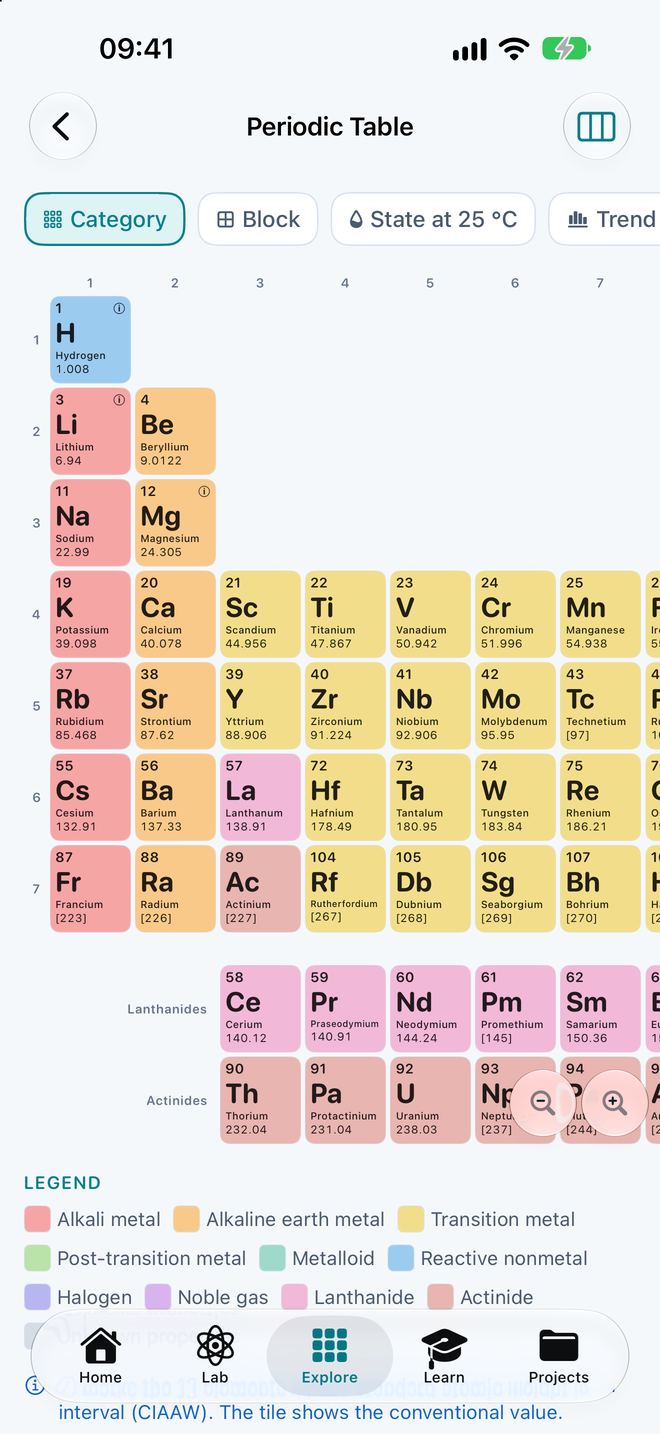
All 118 elements, down to the electrons
Every element with its properties, electron configuration, uses, discovery and sources. Color the table by periodic trends to see why radius shrinks across a period and ionization energy climbs.
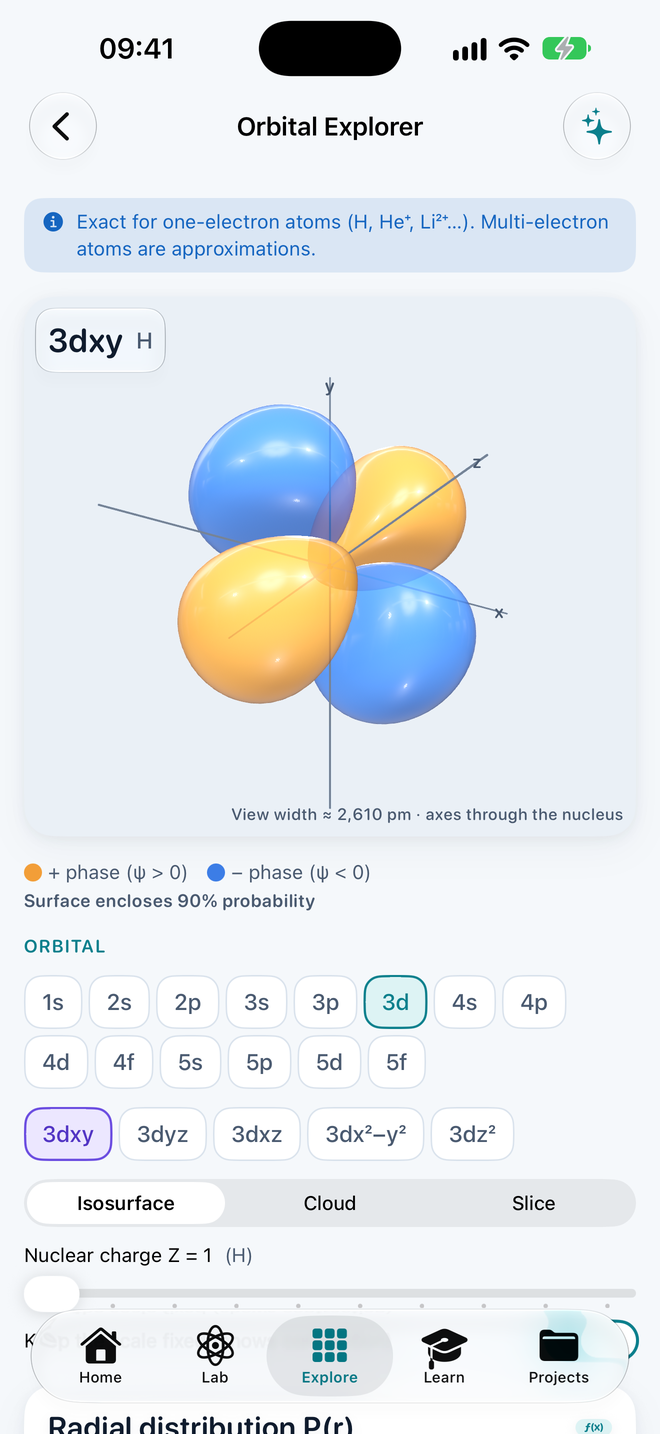
Open the Orbital Explorer to see s, p, d and f orbitals in 3D, build an electron configuration box by box, and read molecular-orbital diagrams and photoelectron spectra.
- Electron configuration
- 10 periodic trends
- 3D orbitals
- MO diagrams
- Compare elements
Reactions you can follow step by step
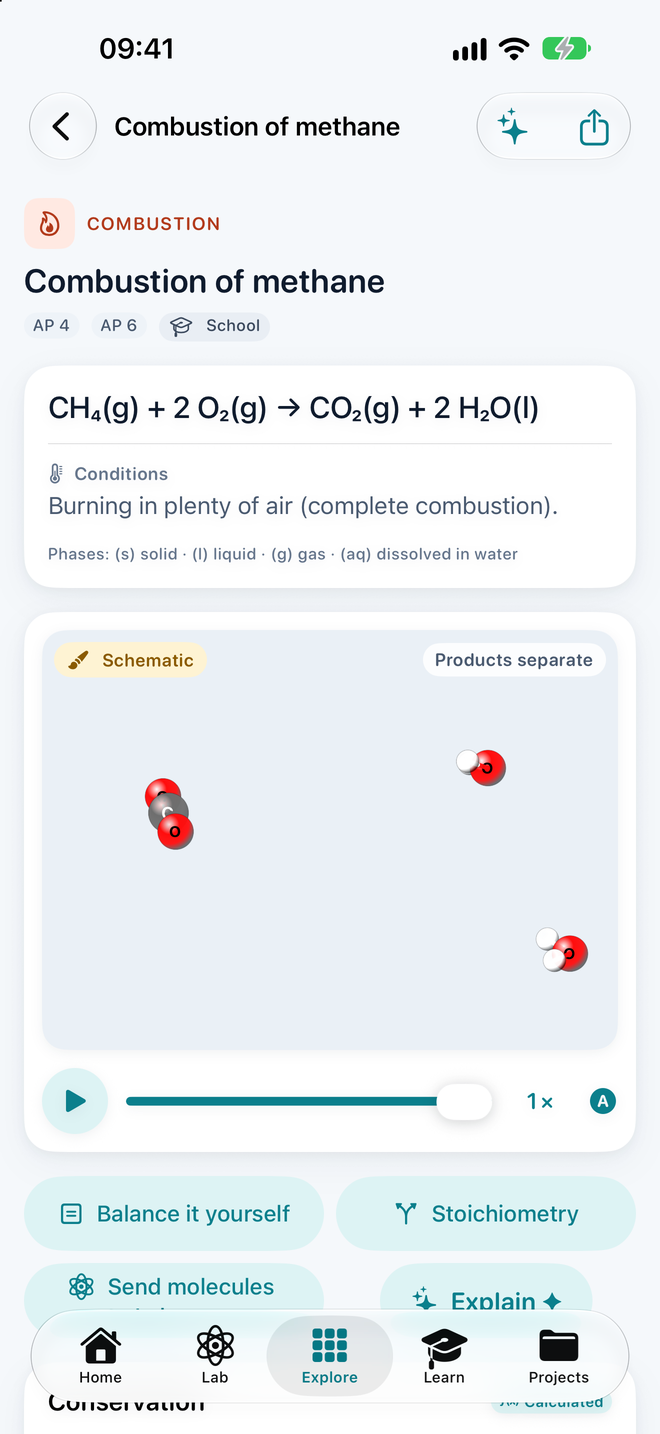
Twenty-four curated reactions, from combustion and neutralization to esterification, each with a balanced equation, conditions, an energy diagram showing activation energy and ΔH, and what to notice.
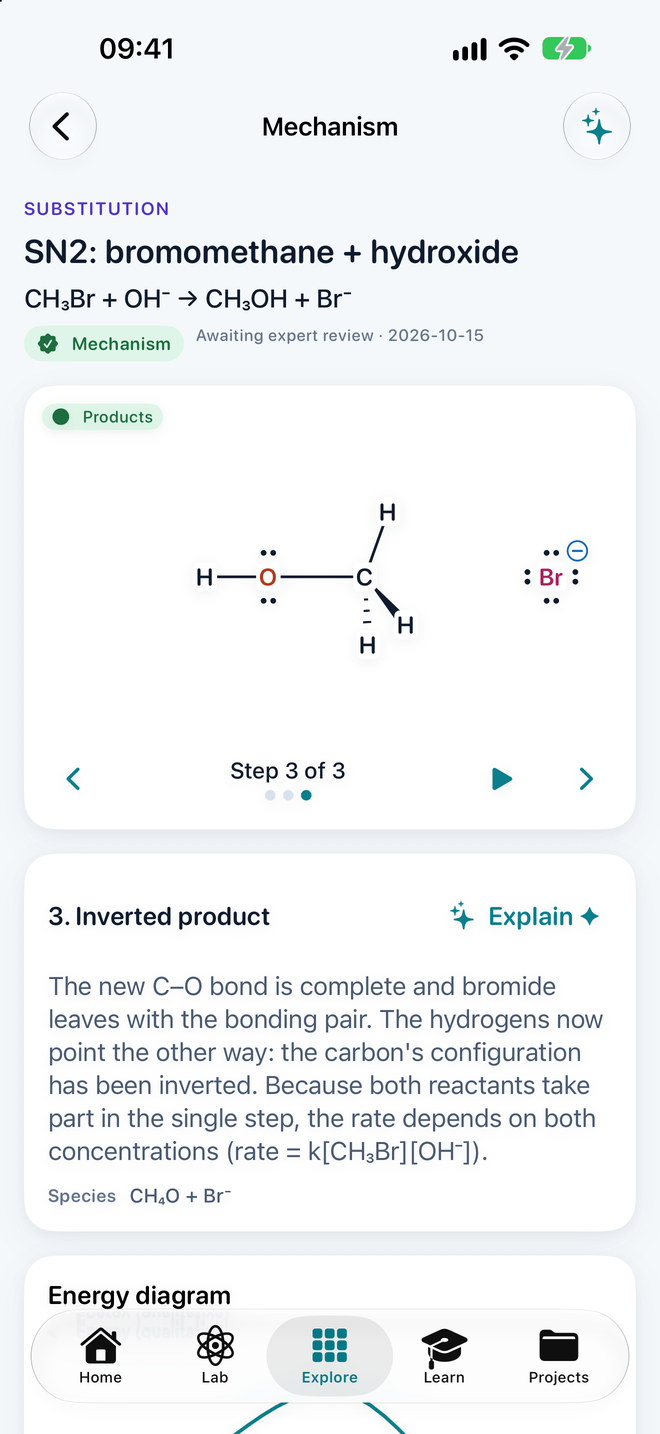
Mechanisms play one step at a time with curved arrows and the 3D structures moving between them: SN2 substitution, electrophilic addition and Fischer esterification. Stuck on a balance? Send the equation to the balancer and see the coefficients worked out.
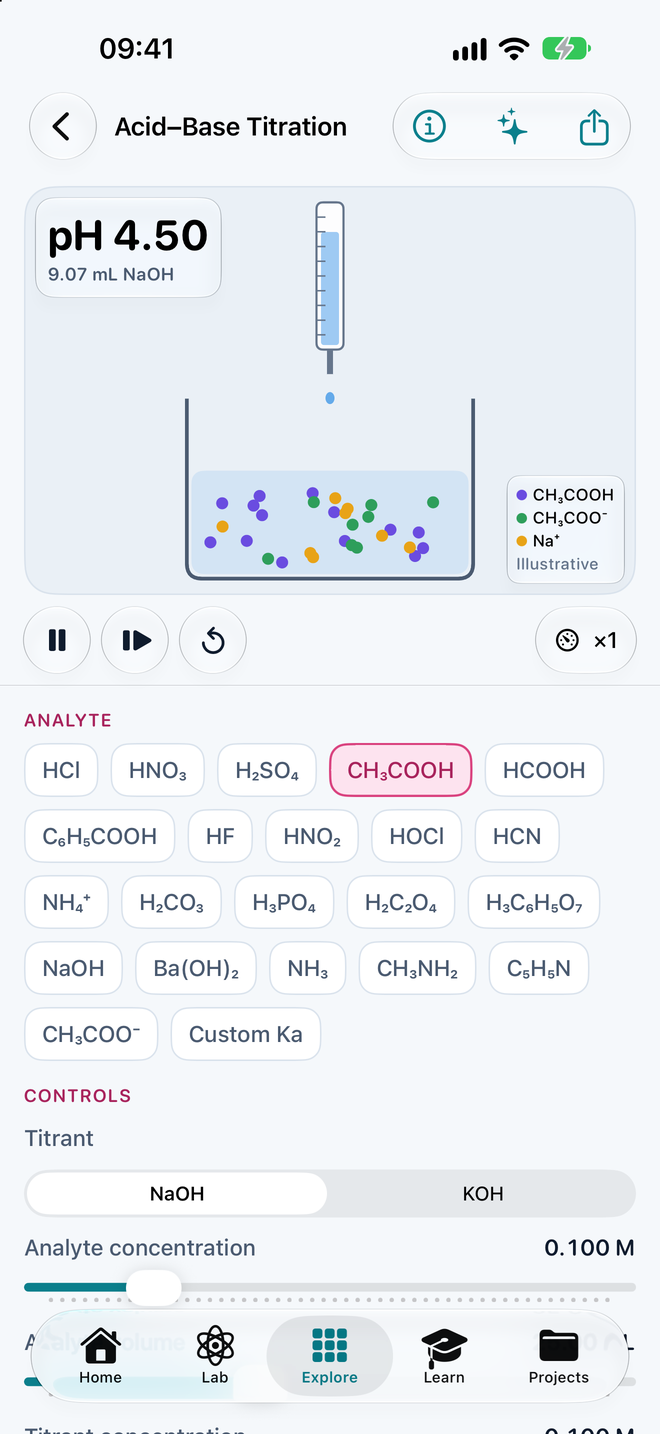
Six simulations, real numbers
Change one thing and watch the rest respond, with a live graph and the equation behind it. Safe to get wrong, as often as you like.
11 calculators that show their work
Each answer comes with the steps, the units and the significant figures, so you can check it against your own working.
- Equation balancer ions & redox
- Molar mass
- Stoichiometry % yield
- Empirical formula
- Solutions M₁V₁ = M₂V₂
- Gas laws
- pH buffers
- Hess’s law
- Nernst equation
- Electron configuration
- Units & sig figs
12 guided lessons, 99 glossary terms
Short lessons that use the 3D models instead of pictures, with a quick check at the end, tagged for AP, IB and A-level.
- Moles and molar mass
- Electron configuration
- VSEPR and molecular shape
- Bond and molecular polarity
- Intermolecular forces
- Ideal gases
- Balanced equations
- Reaction rates
- Enthalpy and Hess’s law
- Chemical equilibrium
- Acids, bases and pH
- Galvanic cells
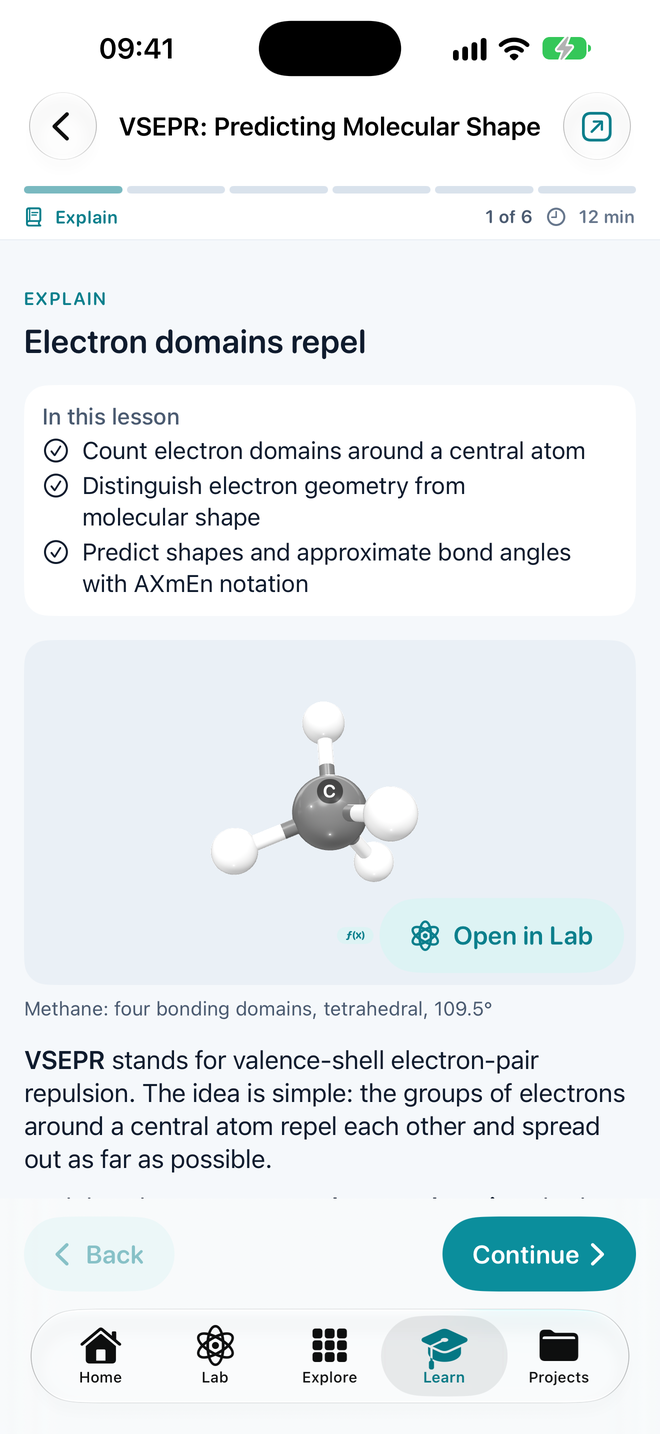
Explanations made on your device
Ask why a molecule is polar or why an angle is 107°. With Apple Intelligence the answer is written on the device from the numbers the chemistry engine calculated, at your level, and nothing leaves the device. Without it, curated explanations are always there.
Projects, synced by your own iCloud
Save molecules as projects with named versions, notes and folders. They sync between your devices through your private iCloud, recently deleted ones wait 30 days, and everything also works with iCloud off.
Export for class and lab
PNG images and PDF study sheets, SVG structures, SMILES, MOL, SDF, XYZ and PDB files, USDZ 3D models and CSV data from the simulations. Open SMILES, MOL, SDF, XYZ and PDB files too.
Everything in the box
The number on each tile is its atomic number, and it matches what you get.
118 elements
The full periodic table with configurations, trends and orbitals in 3D.
86 molecules
A starter library sorted by collection, each one ready to open in the Lab.
24 reactions
Balanced, with conditions and energy diagrams.
3 mechanisms
SN2, electrophilic addition and Fischer esterification, step by step.
6 simulations
Gas laws, titration, equilibrium, kinetics, solutions and the galvanic cell.
11 calculators
From the equation balancer to the Nernst equation, with worked steps.
12 lessons
Guided, short and built around the 3D models.
99 glossary terms
Plain definitions linked to lessons and examples.
20 languages
The whole app, switched in Settings.
One app on every Apple screen you learn on
Built natively for each device, and one Pro purchase covers them all with the same Apple Account.
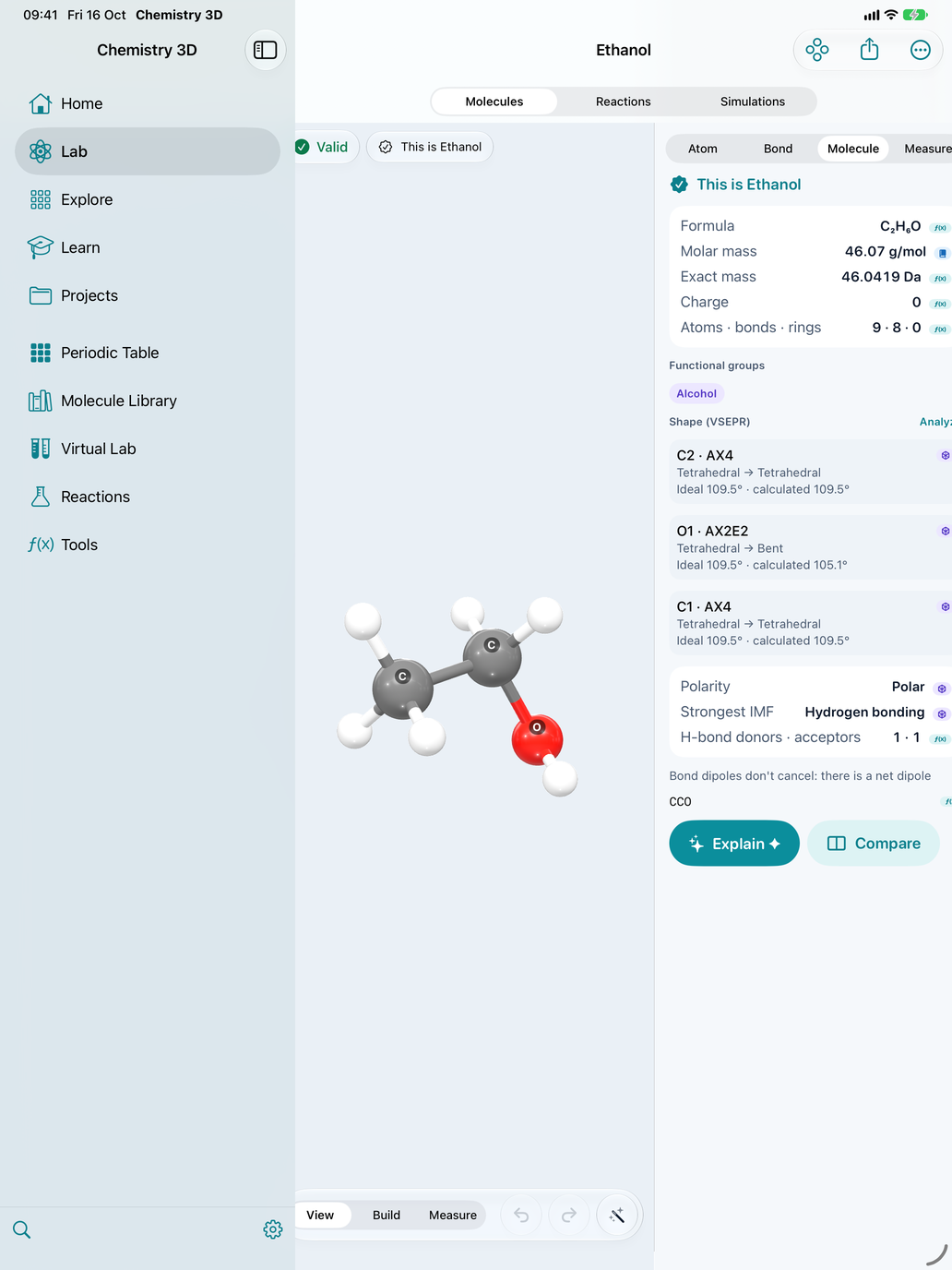
iPad
Sidebar, 3D canvas and inspector side by side. Compare molecules next to each other, and show the model full screen on the class display with Presentation Mode.
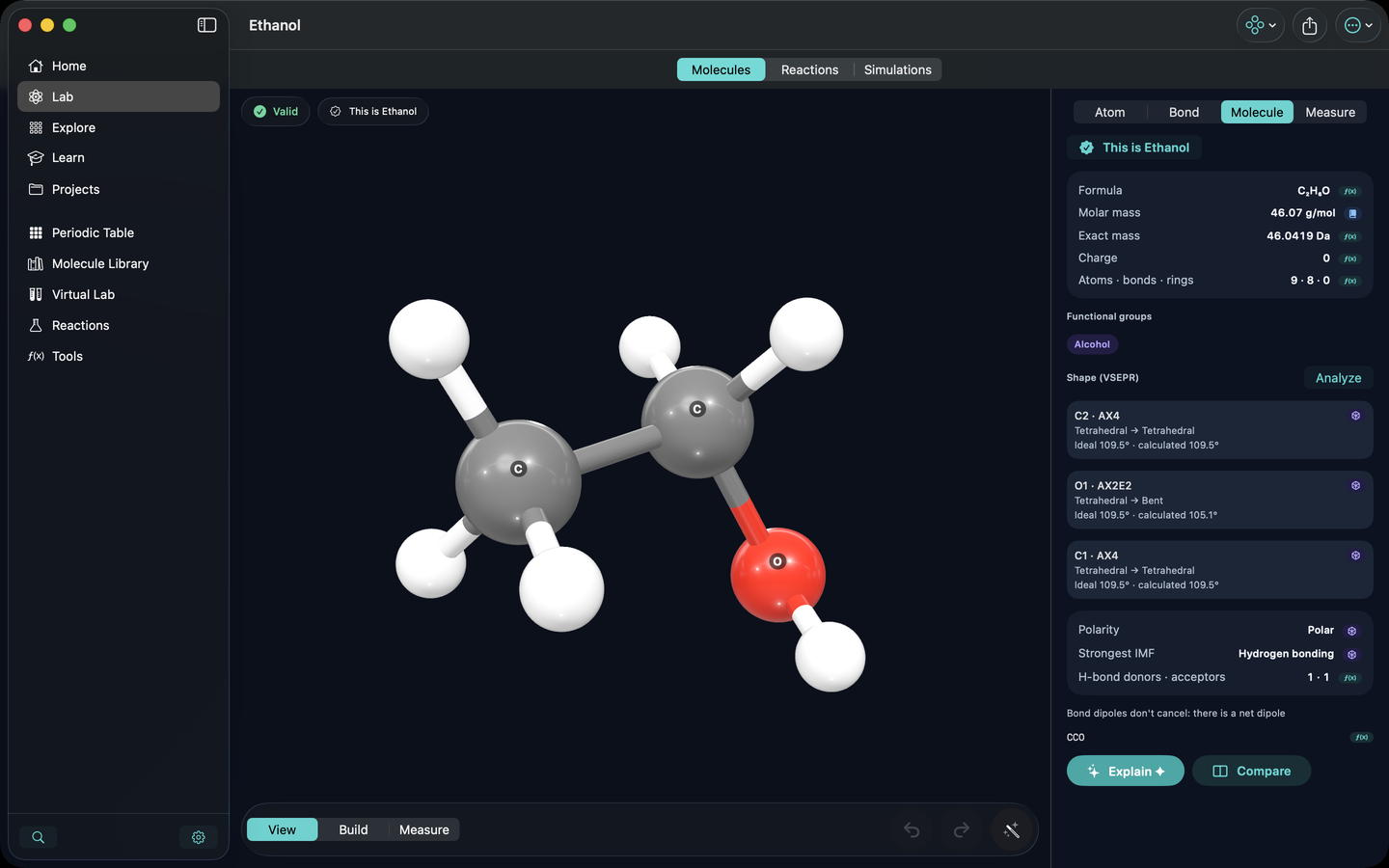
Mac
A native Mac app with menus, keyboard shortcuts, resizable windows and a separate Presentation Mode window for a projector.
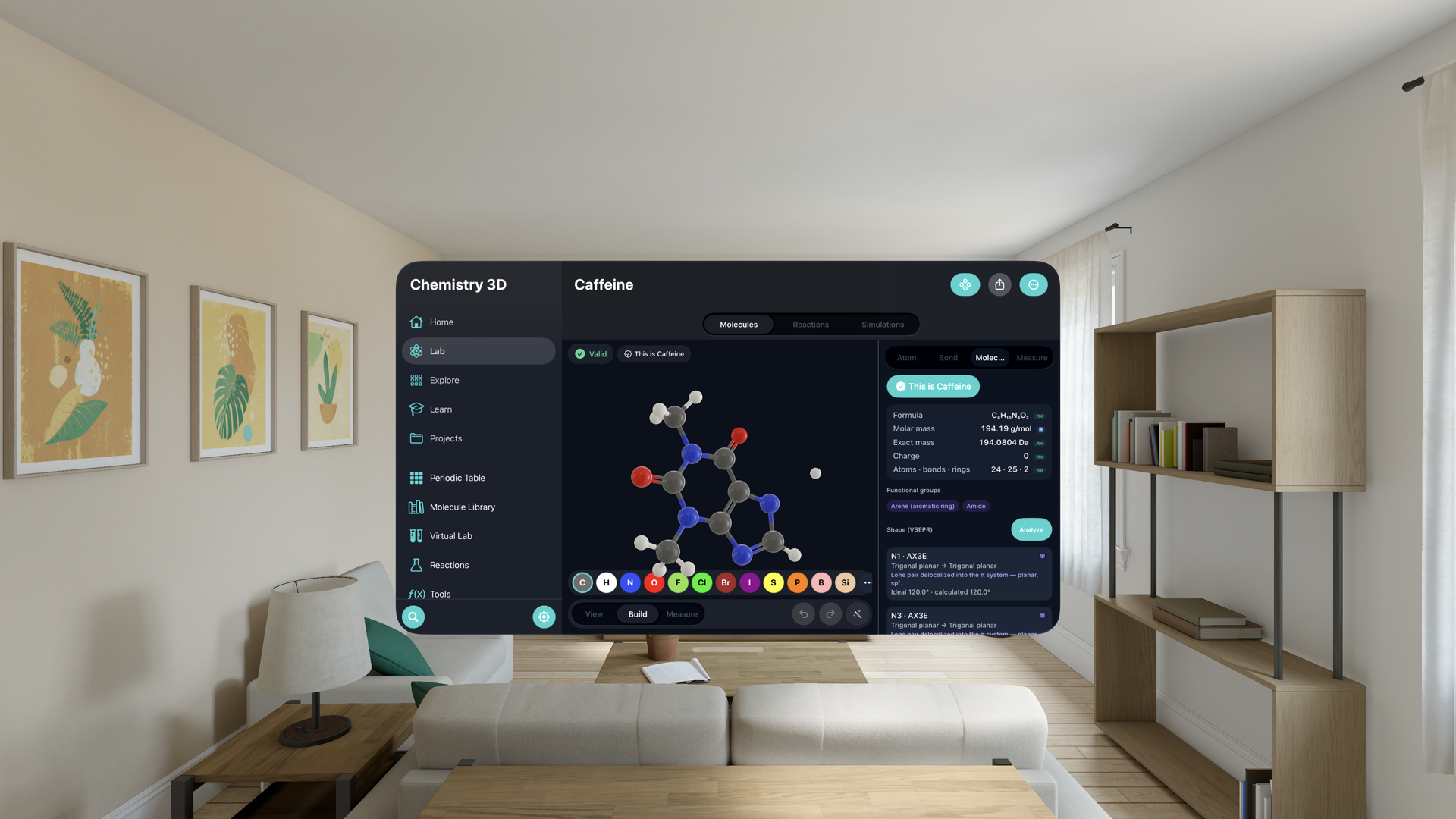
Apple Vision Pro
Molecules and orbitals drawn with real depth in a window you can place anywhere. Look, pinch and drag to turn them.
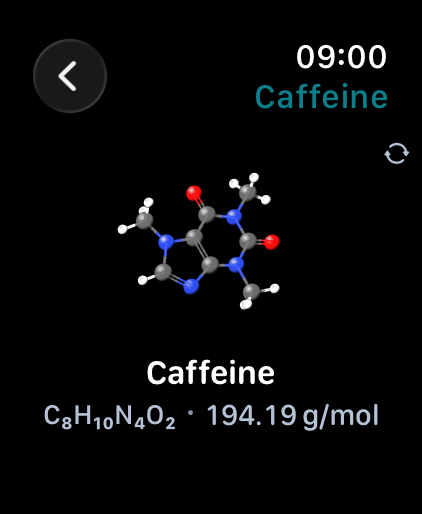
Apple Watch
The periodic table and element details, rotating 3D molecules you turn with the Digital Crown, and quick molar mass, pH and gas-law tools.
- Element of the Day
- Molecule of the Day
On iPhone and iPad, Home Screen widgets show the Molecule of the Day, the Element of the Day and the project you were working on.
Now on Android
Chemistry 3D on Android phones, tablets and foldables: solve chemistry problems step by step from text, speech, photos, scans, PDFs and Word files, build molecules in 3D, and explore the periodic table, reactions, virtual experiments, lessons and practice, in the same 20 languages. Text in photos and scans is read on your device.
On Android, Chemistry 3D is free with ads and there is nothing to buy. Some extra lessons, reactions, simulation scenarios and tools open when you choose to watch two short ads: lessons, reactions and scenarios stay open for good, and tools stay on for 24 hours. The privacy policy explains what the ads involve.
Learn chemistry in your own language
Screens, lessons, the library, the glossary and the calculators’ worked steps, in 20 languages. Chemistry 3D starts in US English; pick yours in Settings › Language and the whole app switches.
- EnglishEnglish (default)
- Tiếng ViệtVietnamese
- EspañolSpanish
- FrançaisFrench
- DeutschGerman
- ItalianoItalian
- Português (Brasil)Portuguese (Brazil)
- РусскийRussian
- 日本語Japanese
- 한국어Korean
- 简体中文Chinese (Simplified)
- 繁體中文Chinese (Traditional)
- العربيةArabic, right to left
- हिन्दीHindi
- Bahasa IndonesiaIndonesian
- ไทยThai
- TürkçeTurkish
- NederlandsDutch
- PolskiPolish
- УкраїнськаUkrainian
No account. Your work stays on your device.
On iPhone, iPad, Mac, Apple Vision Pro and Apple Watch, the App Store privacy label is Data Not Collected: no analytics, no ads, no tracking, and no server of ours to send anything to. The Android app shows ads from Google AdMob; the privacy policy explains what that means and how to choose.
No account
Open the app and start. Nothing to sign up for, no email to give.
Your projects are yours
Your projects stay on your device, or in your own private iCloud on Apple devices. We never see them.
Works offline
The chemistry engine, content and AI explanations all run on the device.
Free to learn. Pro when you want everything.
On Apple devices, the core of Chemistry 3D is free, with no time limit and no ads. Chemistry 3D Pro unlocks the rest.
Free Always
- The Lab: build, validate and see molecules in 3D
- VSEPR shapes, bond angles, polarity and forces
- All 118 elements, 3 trends, orbitals up to n = 3
- Reactions with energy diagrams; SN2 and Fischer mechanisms
- All 6 simulations (core scenarios) and all 11 calculators
- 9 of the 12 lessons and the full glossary
- 10 projects with iCloud sync, 10 AI explanations a day
- PNG, SMILES and MOL export
Pro Everything
- Unlimited projects, 50 versions each, notes
- Every molecule, reaction and mechanism
- Compare three molecules with structure alignment; compare up to 4 elements
- All 10 periodic trends and the 3D trend skyline
- Orbitals n = 4–5, including f orbitals
- Every simulation scenario, with CSV data export
- Advanced calculator modes
- All 12 lessons and unlimited AI explanations
- 8K and transparent images, PDF study sheets, SVG, SDF, XYZ, PDB and USDZ
- Presentation Mode for the class screen
Prices are in US dollars; the App Store charges the equivalent in your currency and the app always shows the live price. There is no free trial. Payment is charged to your Apple Account when you confirm. Subscriptions renew automatically at the same price unless you turn off auto-renew at least 24 hours before the end of the current period, in your Apple Account settings. Lifetime is a single payment and never renews. One purchase unlocks Pro on iPhone, iPad, Mac, Apple Vision Pro and Apple Watch with the same Apple Account. Terms of Use · Apple’s Standard EULA
On Android there is nothing to buy: Chemistry 3D is free with ads, and extra items open when you choose to watch two short ads. Prices and Pro above apply to the App Store only.
Questions
Is Chemistry 3D free?
Yes. The Lab, live 3D, VSEPR and polarity, the full periodic table, the simulations, the calculators, most lessons and the glossary are free, with 10 saved projects and 10 AI explanations a day. Chemistry 3D Pro unlocks everything else. On Android, Chemistry 3D is free with ads and has no purchases; extra items open when you choose to watch two short ads.
Is there a free trial?
No. There is no free trial. The free version stays free with no time limit, so you can try the app properly before you decide on Pro.
Do I need an account? What data do you collect?
No account. On iPhone, iPad, Mac, Apple Vision Pro and Apple Watch, Chemistry 3D collects no data: no analytics, no ads, no tracking, and the app talks to no server of ours. Your projects stay on your device, or in your own private iCloud if you turn iCloud sync on. The Android app also keeps your work on your device, but it shows ads from Google AdMob, and Google collects some device data to show and measure them; the privacy policy explains what and how to choose.
Does it work offline?
Yes. The chemistry engine, the library, the periodic table, simulations, calculators, lessons and the on-device AI all work without a connection. iCloud sync and buying or restoring Pro need the network; on Android, ads and opening items by watching ads need it too.
Which devices does it run on?
iPhone and iPad with iOS 26 or iPadOS 26, Mac with macOS 26, Apple Vision Pro with visionOS 26, and Apple Watch with watchOS 26 as a companion app with complications. One Pro purchase covers all of them with the same Apple Account. Chemistry 3D is also on Android phones, tablets and foldables with Android 10 or later, from Google Play, free with ads.
Is Chemistry 3D on Android?
Yes: on Android phones, tablets and foldables from Google Play. It is free with ads and has no purchases; extra lessons, reactions, simulation scenarios and tools open when you choose to watch two short ads. A Pro purchase on the App Store does not carry over to Android.
Which languages are included?
20: English, Tiếng Việt, Español, Français, Deutsch, Italiano, Português (Brasil), Русский, 日本語, 한국어, 简体中文, 繁體中文, العربية, हिन्दी, Bahasa Indonesia, ไทย, Türkçe, Nederlands, Polski and Українська. The app starts in US English; choose another language in Settings › Language.
How do the AI explanations work?
On devices with Apple Intelligence, explanations are written on the device from the numbers the chemistry engine calculated, and nothing you ask leaves the device. Where Apple Intelligence is not available, the app shows curated explanations instead.
How do I cancel or restore a purchase?
Cancel in your Apple Account subscriptions at least 24 hours before the period ends. To restore, open Settings in the app and tap Restore Purchases while signed in with the Apple Account you bought with.
See why molecules look the way they do.
Free on iPhone, iPad, Mac, Apple Vision Pro and Apple Watch, and free with ads on Android.